

Choose how your Instagram bot replies to greetings, shopping questions and unknown messages
Bot Intent Configuration, Bot Intent Configurations, Instagram bot, Instagram DM bot, greet intent, fallback, discover intentWhen a customer sends your brand a DM on Instagram, the bot works out what they want. Bot Intent Configuration lets you decide what happens next for three common cases.
| Intent | When it applies |
|---|---|
| Greet | The customer sends a greeting, like “Hi” |
| Discover | The customer wants to buy or explore products |
| Fallback | The bot doesn’t understand the message |
For each one, choose:
- Handle by bot: the bot replies.
- Send to Agent Chat: a ticket is created in the Support Inbox for an agent.
- Handle by flow: run one of your Instagram flows.
- Do nothing: no reply.
Set it up
Section titled “Set it up”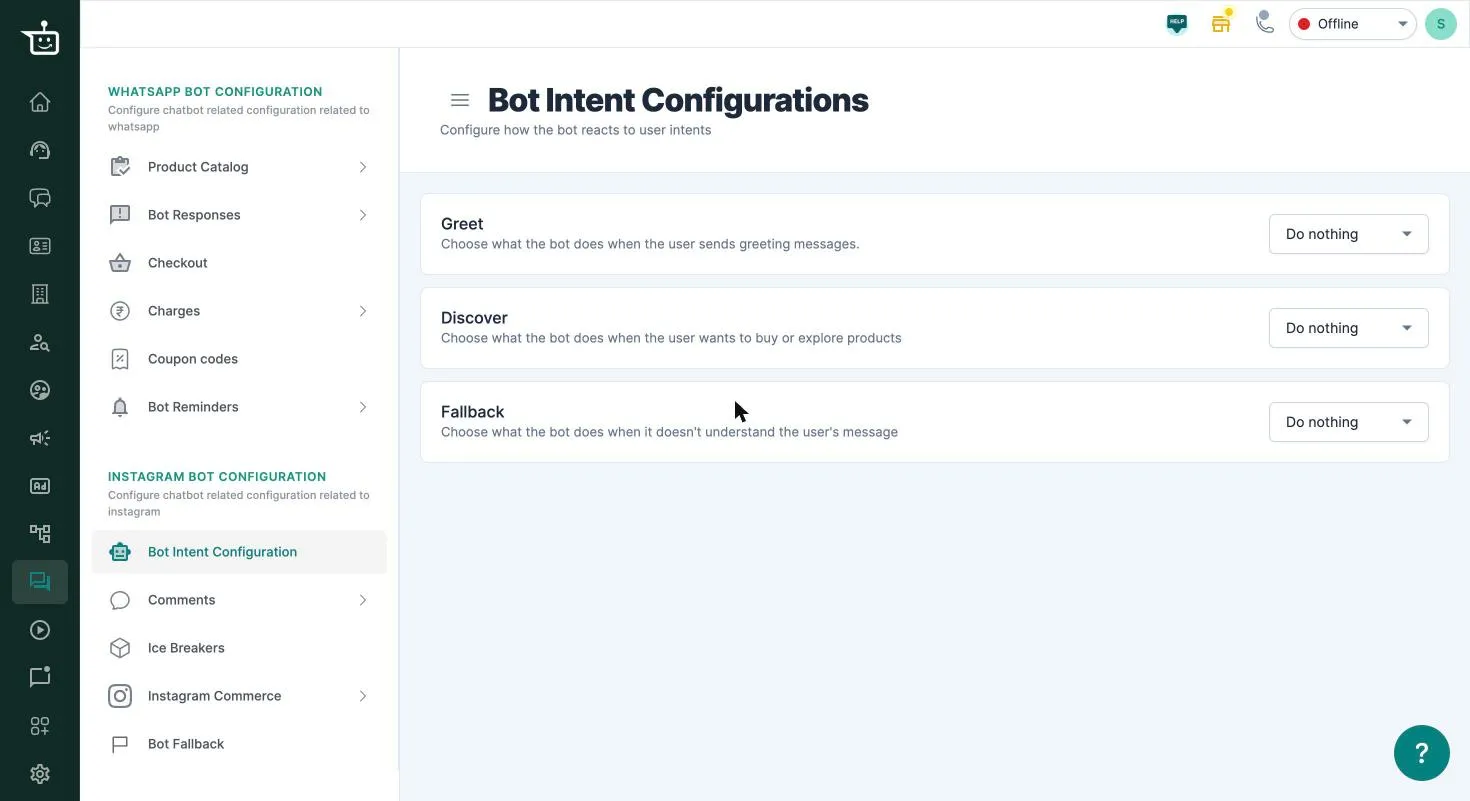
-
Go to Bot Configuration → Instagram Bot Configuration → Bot Intent Configuration.
-
On the Greet, Discover or Fallback card, choose an option.
-
If you chose Handle by flow, pick the flow under Choose Flow. No flow yet? Click Create New Flow to build one, and you’ll come back here afterwards.
-
Click Save on that card. Each card is saved separately.
Related
Section titled “Related”Was this page helpful?
Thanks, this helps us improve this page.
Still stuck? Email support@businessonbot.com