

See how your WhatsApp notifications perform
Notification Overview, notification analytics, abandoned cart analytics, cart recovery, COD confirmation analytics, reorder analytics, feedback analyticsNotification Overview shows how each of your WhatsApp notifications is doing, in one place.
To open it, go to Notification → Overview.
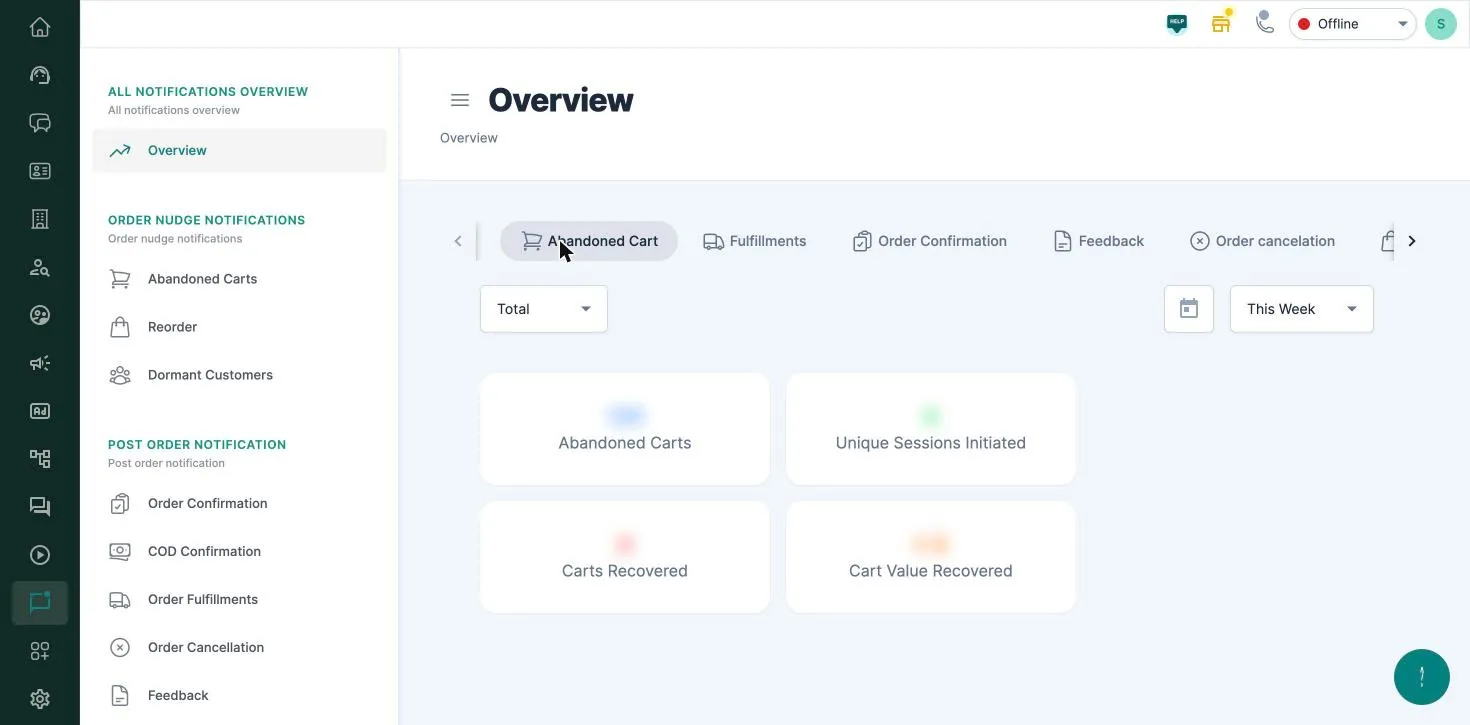
There’s a tab for each notification you have turned on. Pick a date range at the top right: This Week by default, or anything from Today to All Time, or a custom range of up to a year.
What each tab shows
Section titled “What each tab shows”| Tab | Metrics |
|---|---|
| Abandoned Cart | Abandoned Carts, Unique Sessions Initiated (reminders sent), Carts Recovered and Cart Value Recovered |
| Fulfillments | Fulfillments and messages sent |
| Order Confirmation | Orders and messages sent |
| Feedback | Initiated, and how many customers answered Great, Good or Bad. Switch between bot and product feedback |
| Order cancelation | Number of triggers, and orders cancelled by the bot, by an agent or outside BusinessOnBot |
| Reorder | Reorder messages sent, reorder entries and reorder cart value |
| COD Confirmation | Customers reached, COD orders confirmed, orders converted to prepaid and their value, by channel (WhatsApp or voice) |
| Recommendations | Recommendations sent, Yes and No presses, and recommended products added and their value |
| Shipping Partners | Delivery and out-for-delivery events, and the messages sent for each |
| Dormant Customers | Win-back reminders sent, chats started, link clicks, orders placed and order value |
Abandoned cart in detail
Section titled “Abandoned cart in detail”- Carts Recovered % is recovered carts ÷ reminders sent × 100.
- Cart Value Recovered % is the value recovered ÷ the value of the carts you sent reminders for × 100.
Use the Total dropdown to see each reminder separately (Ping 1, Ping 2, Ping 3). For each reminder you also see how customers responded: Clicked On Purchase, Clicked On Unsubscribe, Customer Support, Irrelevant Messages and No Responses. This shows which reminder works best, and where customers drop off.
Related
Section titled “Related”Was this page helpful?
Thanks, this helps us improve this page.
Still stuck? Email support@businessonbot.com