

Common questions
FAQ, FAQs, Read all Campaign FAQs, Read all User segmentation FAQs, Agent ChatHow many customers can I send a campaign to?
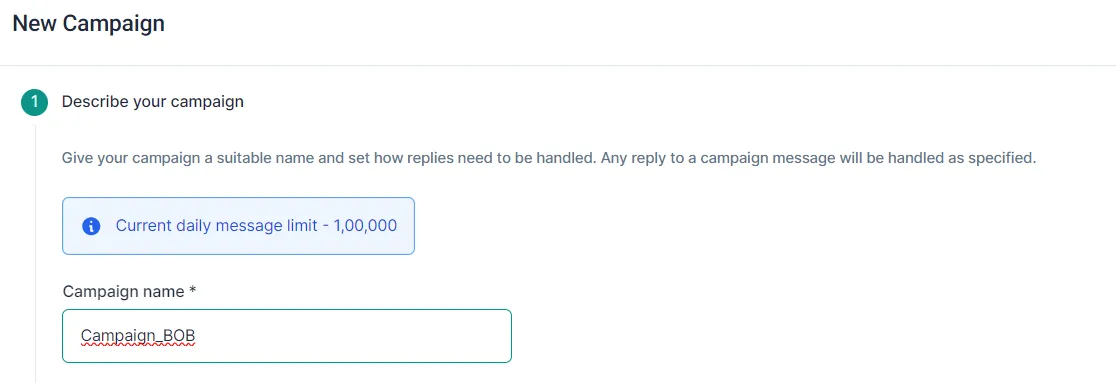
Section titled “How many customers can I send a campaign to?”As many as your daily message limit, which Meta sets for your number. You see the limit in the first step of a new campaign, under Describe your campaign.
Can I schedule a campaign?
Section titled “Can I schedule a campaign?”Yes. In the last step, Launch Campaign, choose a date and time. You can’t schedule two campaigns for the same time.
Can I stop a scheduled campaign?
Section titled “Can I stop a scheduled campaign?”Yes. Click Stop next to the campaign on the Campaigns page.
Why can’t I upload my image or video?
Section titled “Why can’t I upload my image or video?”Check the file: images must be JPEG or PNG and under 5 MB; videos must be MP4 and under 15 MB (940 × 500 pixels recommended). Images taller than a 1.91:1 ratio are cropped, so keep the important part in the centre.
My Excel sheet fails validation. What’s wrong?
Section titled “My Excel sheet fails validation. What’s wrong?”Download the Sample sheet in the Recipients list step and copy your data into it. The most common problems: the phone column must be headed phone in lowercase, headings must have no extra spaces, and each variable needs its own column with the right heading ({{1}}, {{2}}). See the sheet rules.
Why isn’t my test message arriving?
Section titled “Why isn’t my test message arriving?”Usually because of Meta’s frequency capping, which limits how many marketing messages one person can receive from businesses in a rolling 7-day period. Send “Hi” to your WhatsApp bot from the test number and test again, and message your bot after every three tests. Read more in the frequency capping guide.
Why did I receive three test messages?
Section titled “Why did I receive three test messages?”That’s expected when your template has variables. You see how the message will look for the first three customers in your segment or sheet.
Why did my campaign fail for some customers?
Section titled “Why did my campaign fail for some customers?”Common reasons:
- The number isn’t on WhatsApp.
- The customer hasn’t accepted WhatsApp’s latest Terms of Service and Privacy Policy.
- The customer is on an old version of WhatsApp and needs to update.
- Frequency capping: Meta limits how many marketing messages each person gets (see the frequency capping guide).
To resend automatically, see Retry failed campaign messages.
Am I charged for messages that failed to send?
Section titled “Am I charged for messages that failed to send?”No. BusinessOnBot charges only for messages that were delivered.
What does “Status Unknown” mean?
Section titled “What does “Status Unknown” mean?”The message may or may not have been delivered: our API partner didn’t report its status to BusinessOnBot. If you see a lot of these, email support@businessonbot.com.
Why is my campaign still running?
Section titled “Why is my campaign still running?”Bigger lists take longer. A campaign to 1,000 customers takes under 5 minutes; one to 1,00,000 customers takes about 40 minutes.
How much revenue did my campaign make?
Section titled “How much revenue did my campaign make?”The Campaigns page shows totals for all campaigns. For one campaign, click View Stats next to it. You see total revenue, total recipients, orders placed, reply rate and return on ad spend (ROAS).
How do I download a report for one campaign?
Section titled “How do I download a report for one campaign?”Click View Stats next to the campaign, then Generate Report at the bottom of the page. When it’s ready, click Download.
What are the “Handle by” options?
Section titled “What are the “Handle by” options?”They decide what happens when a customer replies to your campaign: Handle by bot (your bot replies), Send to agent chat (the reply goes to your team in the Support Inbox), Do nothing, or Handle by flows (a campaign flow you built runs). See Launch a campaign from an Excel sheet.
What’s the difference between unique and common variables?
Section titled “What’s the difference between unique and common variables?”A Common variable is the same for every customer, such as a coupon code. A Unique variable is different for each customer. With a segment you can use Full Name or First Name; for any other personal data, use an Excel sheet.
What are UTM parameters and link analytics?
Section titled “What are UTM parameters and link analytics?”UTM parameters let you see clicks on your campaign links, and where they came from, in Google Analytics. If your message has a link, you can also turn on link tracking to see how many customers clicked it.
What’s the difference between campaigns and smart automations?
Section titled “What’s the difference between campaigns and smart automations?”A campaign sends one template to many customers at once. A smart automation sends a message to one customer when something happens, for example 20 days after their order is confirmed.
What is a parent campaign?
Section titled “What is a parent campaign?”The original campaign that a follow-up campaign is created from.
How many follow-up campaigns can I launch?
Section titled “How many follow-up campaigns can I launch?”As many as you like. You can also run a follow-up on top of another follow-up.
How do I send a follow-up only to customers whose message failed?
Section titled “How do I send a follow-up only to customers whose message failed?”Click Retarget next to the parent campaign and choose Failed under Conditions. See Send a follow-up campaign.
Am I charged for follow-up campaigns?
Section titled “Am I charged for follow-up campaigns?”Not if you send it within 24 hours of the parent campaign, because those customers are still in an open conversation. After 24 hours, charges apply. Follow-ups to customers who aren’t in an open conversation, such as those with the Failed condition, are always charged.
Can I schedule several follow-up campaigns?
Section titled “Can I schedule several follow-up campaigns?”Yes. Leave an hour or two between them to avoid errors.
I can’t find the follow-up campaign I scheduled.
Section titled “I can’t find the follow-up campaign I scheduled.”On the Campaigns page, open the Scheduled tab, then Follow-Up Campaigns.
Can I send a different template in a follow-up?
Section titled “Can I send a different template in a follow-up?”Yes. Choose New Template under the template option when you retarget the parent campaign.
Can I add more contacts to a follow-up campaign?
Section titled “Can I add more contacts to a follow-up campaign?”No. A follow-up only targets customers from its parent campaign.
Why is the ROAS so different on my follow-up campaign?
Section titled “Why is the ROAS so different on my follow-up campaign?”That’s normal. Many customers are reached inside the free 24-hour window, so your spend is low compared with the number of customers reached.
Can I send a campaign straight from User Segmentation?
Section titled “Can I send a campaign straight from User Segmentation?”Yes. Click Run Campaign under any segment. The campaign opens with that segment already added.
Are my segments updated automatically?
Section titled “Are my segments updated automatically?”Yes, regularly. To get the latest count before a campaign, click the ⋮ menu on the segment, then Refresh.
How do I download a segment’s customers?
Section titled “How do I download a segment’s customers?”Click the ⋮ menu on the segment, then Download. You get an Excel file. This works for recommended segments, such as Cart Abandoners and Prospective Customers, and for your own.
Why doesn’t “All customers” match the count on my website?
Section titled “Why doesn’t “All customers” match the count on my website?”BusinessOnBot counts each phone number only once, so duplicates are removed. Customers whose number isn’t on WhatsApp can also be missing.
What is the “Bulk Shoppers” segment?
Section titled “What is the “Bulk Shoppers” segment?”Customers who tend to buy several items in a single order.
How do I edit a segment’s rules?
Section titled “How do I edit a segment’s rules?”Click the ⋮ menu on the segment, then the edit option.
What do the “And” and “Or” rules do?
Section titled “What do the “And” and “Or” rules do?”With And, a customer must match every rule. With Or, a customer needs to match only one of them.
What’s the difference between “Include” and “Exclude”?
Section titled “What’s the difference between “Include” and “Exclude”?”Customers who match the Include rules are added to the segment. Customers who match the Exclude rules are left out.
Can I build a segment inside another segment?
Section titled “Can I build a segment inside another segment?”No, not at the moment.
Can I make a segment from an Excel sheet?
Section titled “Can I make a segment from an Excel sheet?”Not directly. Run a campaign with the sheet first. When the campaign finishes, those customers are available in User Segmentation.
Was this page helpful?
Thanks, this helps us improve this page.
Still stuck? Email support@businessonbot.com