

Check how your website widgets perform
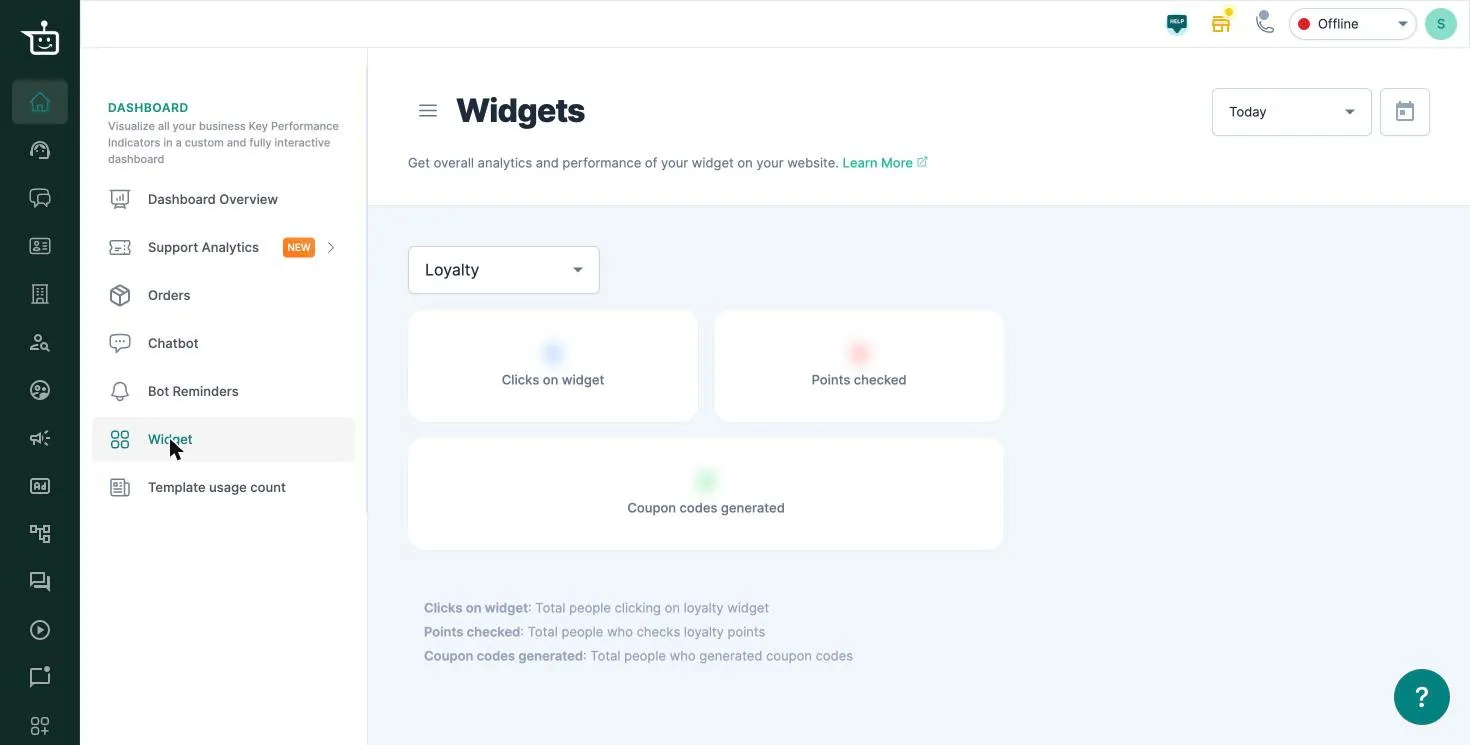
Widgets, widget analytics, WhatsApp widget, loyalty widget, rewards widget, coupon code analyticsThe Widgets tab shows how the WhatsApp widget and the loyalty (rewards) widget on your website are performing.
To open it, go to Dashboard → Widget. Pick Loyalty or WhatsApp from the dropdown, and choose a date range at the top right (Today by default).
What you can see
Section titled “What you can see”| Widget | Metric | What it counts |
|---|---|---|
| Loyalty | Clicks on widget | People who clicked the loyalty widget |
| Points checked | People who checked their loyalty points | |
| Coupon codes generated | People who generated a coupon code | |
| Clicks on widget | People who clicked the WhatsApp widget | |
| Landed on whatsapp | People who reached your WhatsApp chat from the widget |
Good to know
Section titled “Good to know”- Turn on the WhatsApp widget and the rewards widget in Settings → General. See Set up the rewards widget.
- To download the contacts collected by your customer details pop-up, go to Settings → Popup Widget. This is available on specific plans. See Collect phone numbers and emails with a website pop-up.
Watch the walkthrough
Section titled “Watch the walkthrough”The video shows an earlier version of this screen.
Related
Section titled “Related”Was this page helpful?
Thanks, this helps us improve this page.
Still stuck? Email support@businessonbot.com