

Types of flows
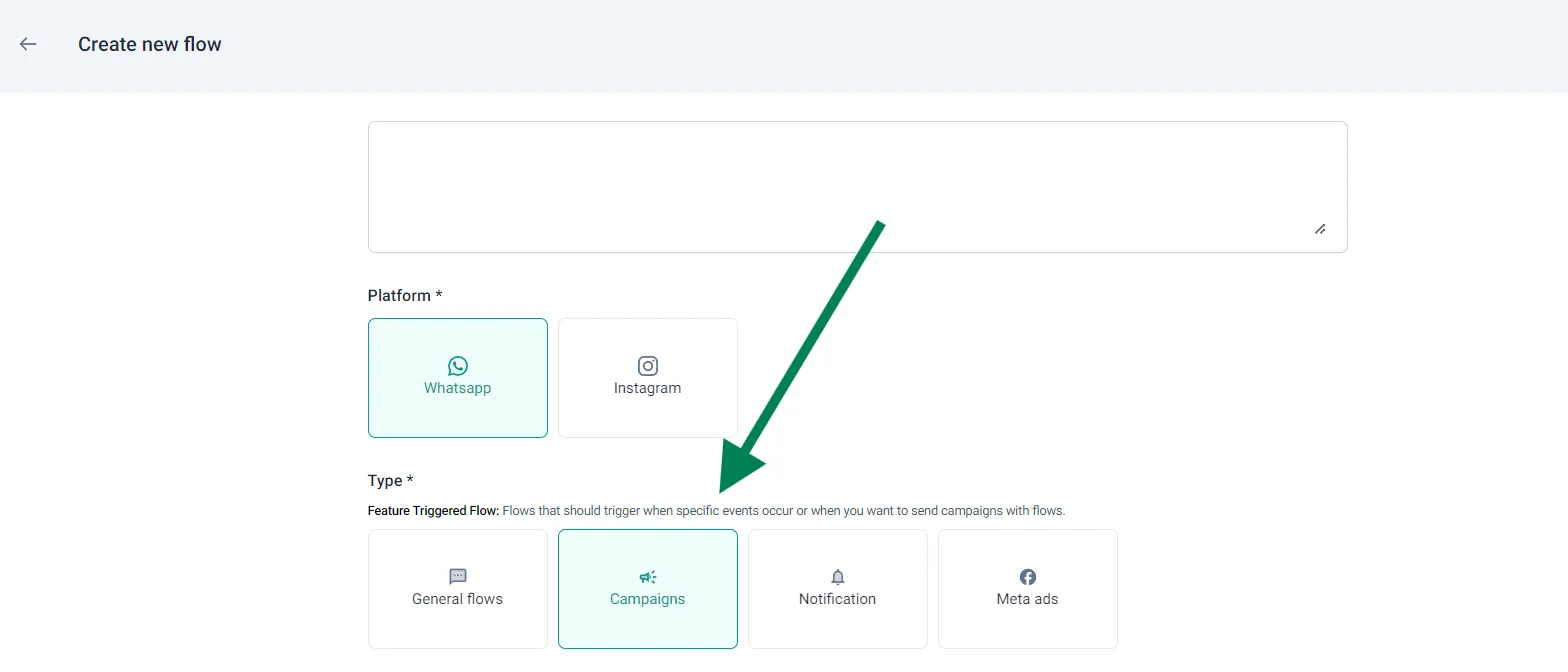
Types of Flows, general flow, campaign flow, notification flow, Meta ad flow, CTWA, click to WhatsApp, trigger pointYou build every type of flow the same way. The only difference is the trigger point: what starts the journey for the customer. You choose the type under Type when you create the flow.
| Type | What starts it | Where you connect it |
|---|---|---|
| General flows | A trigger phrase the customer types, or a button with that text | Nowhere: it runs whenever the phrase is typed |
| Campaigns | A quick reply button click on a campaign template | In the campaign |
| Notification | A quick reply button click on a notification template | In the notification settings |
| Meta ads | A click on your Click to WhatsApp ad | In the user acquisition panel |
General flow
Section titled “General flow”The flow starts when a customer types one of its trigger phrases. For example, the shopping journey starts when a customer types “Shop now” or taps the Shop Now button. You can add as many trigger phrases as you like. See how trigger phrases work.
Campaign flow
Section titled “Campaign flow”The template you send in the campaign is the trigger. Give the template quick reply buttons, and build the journey around which button the customer taps.
-
Create the flow with Campaigns as the type.
-
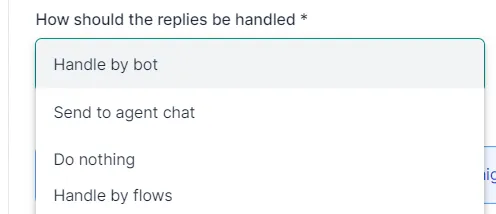
In step 1 of the campaign, under How should the replies be handled, choose Handle by flows.
-
In step 2 of the campaign, choose the flow. Only flows of the campaign type are listed.
Notification flow
Section titled “Notification flow”If a notification uses a template with quick reply buttons, a flow can handle the button replies. This works for:
- order confirmation (prepaid and COD)
- order fulfilment
- feedback
-
Create the flow with Notification as the type, then pick the notification from the dropdown.
-
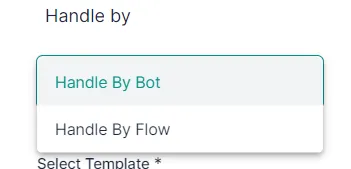
In the notification settings, under Handle by, choose Handle By Flow.
-
Choose the flow. Only flows of the notification type are listed.
Meta ad flow
Section titled “Meta ad flow”A Meta ad flow links a Click to WhatsApp (CTWA) ad from your Meta Ads Manager to your brand’s WhatsApp number.
After you create the flow, choose it in the user acquisition panel of the dashboard. Customers who click the ad then go through your journey, and you make use of the free 72-hour messaging window that CTWA ads open.
Capture responses in a Google Sheet
Section titled “Capture responses in a Google Sheet”Any type of flow can send every response to a Google Sheet in real time. See Send flow responses to a Google Sheet.
Watch the walkthrough
Section titled “Watch the walkthrough”Related
Section titled “Related”Was this page helpful?
Thanks, this helps us improve this page.
Still stuck? Email support@businessonbot.com