

Ticket statuses and how tickets move between them
Ticket: Status & Transitions, ticket status, pending, resolved, closed, ticket lifecycleEvery ticket in the Support Inbox has a status that shows where the conversation stands. Statuses help agents and admins know what to work on next, and they feed reports such as response and resolution times.
The statuses
Section titled “The statuses”| Status | Meaning |
|---|---|
| New | The ticket has been created and nobody, bot or agent, is assigned to it yet. |
| Open | The ticket is being worked on. This is the default for tickets your team creates and for tickets assigned to an agent, by the bot or by hand. |
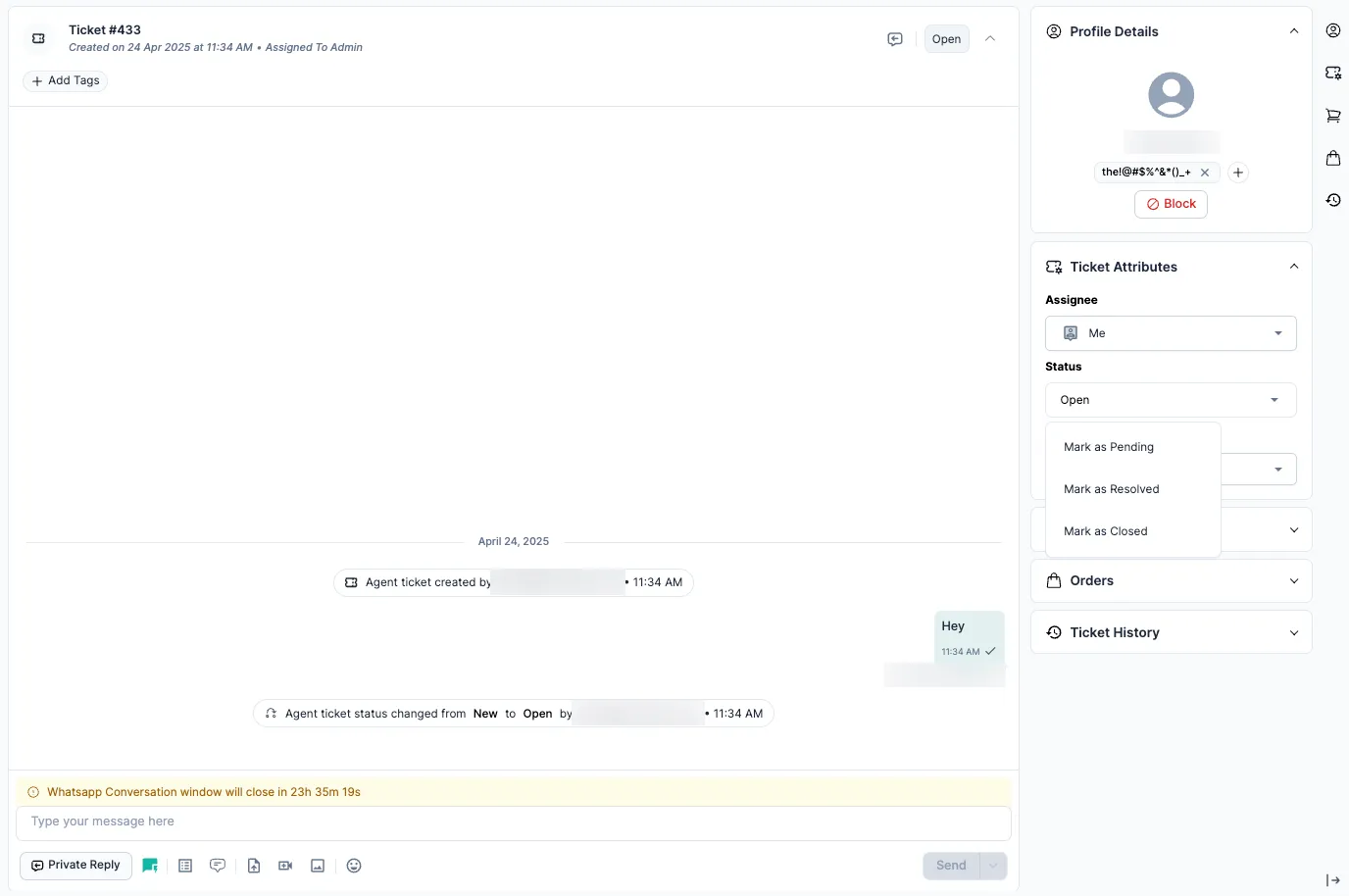
| Pending | The agent is waiting for the customer, or for another team such as the warehouse or logistics. The ticket is still active but on hold. |
| Resolved | The agent has given a solution and thinks the issue is fixed, but the ticket stays available for the customer to confirm or reply. |
| Closed | The ticket is finished and archived. No more messages can be sent on it. The customer or your team has to start a new conversation. |
How tickets move between statuses
Section titled “How tickets move between statuses”| What happens | From | To |
|---|---|---|
| The ticket is created | New | |
| An agent or the bot is assigned | New | Open |
| The agent is waiting on the customer | Open | Pending |
| The agent sends the solution | Open or Pending | Resolved |
| An admin or agent confirms it’s fully done | Resolved | Closed |
| The customer replies after it was resolved | Resolved | Open |
- A Resolved ticket reopens when the customer replies. To also reopen Pending tickets, and tickets your agents reply to, turn on Reopen Tickets on New Replies.
- A Closed ticket can’t be reopened.
- Auto-close rules can close inactive tickets for you.
Bot tickets and agent tickets
Section titled “Bot tickets and agent tickets”Bot ticket
Section titled “Bot ticket”| What happens | Status |
|---|---|
| The customer starts a conversation with the bot | Open (bot) |
| The bot answers their questions | Stays Open (bot) |
| The customer asks for an agent, or the bot falls back | Open (agent ticket) |
When the bot hands over, the ticket type changes from bot to agent, but the status stays Open. See Bot tickets and agent tickets.
Agent ticket
Section titled “Agent ticket”| What happens | Status |
|---|---|
| An agent creates the ticket | Open |
| The agent is waiting for the customer | Pending |
| The agent solves the issue | Resolved |
| An admin or agent closes it | Closed |
- Use Pending when you’re waiting on someone else, so your Open list shows only tickets you can act on.
- Use Resolved when you think the issue is fixed but the customer hasn’t confirmed.
- Close a ticket only when the issue is fully fixed and confirmed, or the customer has stopped replying for a set time.
Related
Section titled “Related”Was this page helpful?
Thanks, this helps us improve this page.
Still stuck? Email support@businessonbot.com