

See a customer's previous tickets
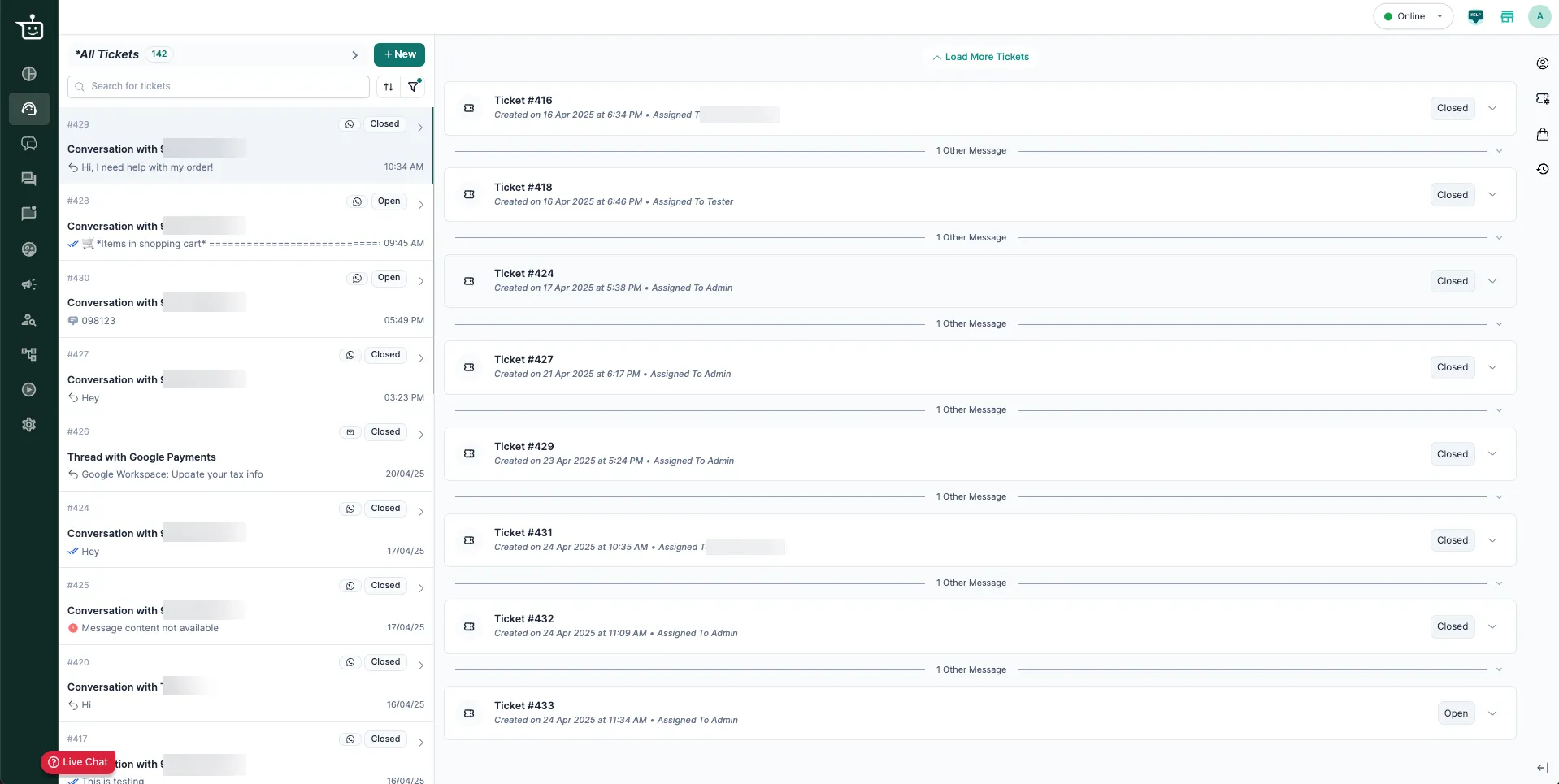
Previous Conversations, chat history, past tickets, conversation historyOn WhatsApp and Instagram, a customer’s messages read like one continuous conversation, even when they span several tickets. The Support Inbox shows a customer’s earlier tickets above the current one, in time order, so you can see their whole history without switching screens.
Where it works
Section titled “Where it works”Only on WhatsApp and Instagram. These are chat channels: each customer has a single thread, and their tickets follow one another in order.
Email works differently. Each email thread is separate, so earlier email tickets don’t appear this way. To find them, use Ticket History in the context panel.
How to see earlier tickets
Section titled “How to see earlier tickets”- Open a WhatsApp or Instagram ticket.
- Scroll up in the conversation.
- Earlier tickets appear as collapsed cards labelled Previous Ticket. Each card shows the ticket’s status (for example Resolved or Closed), when it was created and closed, the channel, the ticket ID and who it was assigned to.
- Click a card to expand the full conversation from that ticket, in the same scroll view.
Why it helps
Section titled “Why it helps”- You see the customer’s history straight away.
- You don’t have to ask the customer to repeat themselves.
- You can give better-informed, more caring replies, especially for issues that keep coming back.
- Read the previous tickets before you reply.
- Leave private replies on tickets so the next agent has the context.
- Use this together with audit logs and the customer’s orders in the context panel for the full picture.
Related
Section titled “Related”Was this page helpful?
Thanks, this helps us improve this page.
Still stuck? Email support@businessonbot.com