

How tickets are created
Ticket Creation, new ticket, create ticket, 24-hour window, start a conversation, How I can engage with inactive customers?In the Support Inbox, a ticket holds one whole conversation with a customer: every message, every action taken and the ticket’s details. A ticket is created in one of two ways:
| Created by | How |
|---|---|
| The customer | Automatically, when they message you on a connected channel. |
| Your team | By hand from the dashboard, for example to follow up or reach out first. |
When a customer writes to you
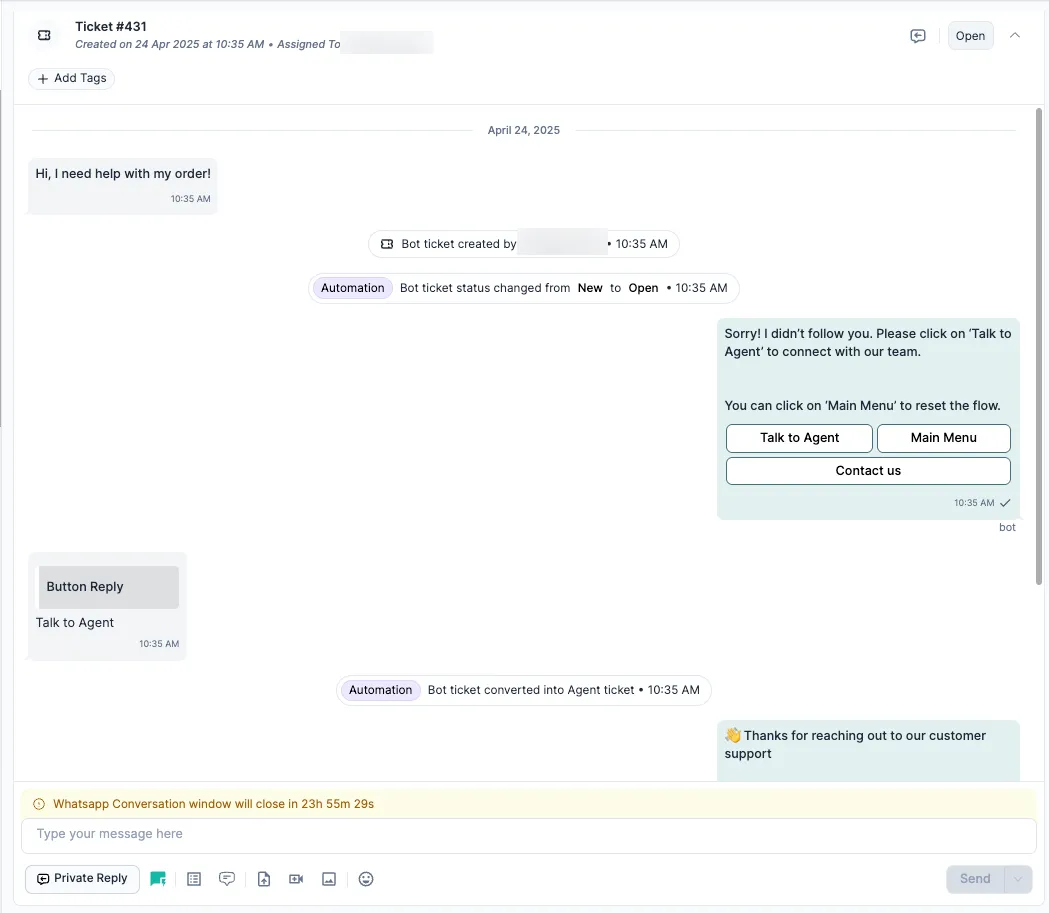
Section titled “When a customer writes to you”A new ticket is created automatically when a customer contacts you:
| Channel | What creates the ticket |
|---|---|
| The customer messages your WhatsApp Business number. | |
| The customer sends a DM, or leaves a comment that triggers a reply flow. | |
| The customer emails your support address. |
If the customer already has a ticket that isn’t closed, their new message goes into that ticket instead. A new ticket is created only after the previous one is Closed.
Start a ticket yourself
Section titled “Start a ticket yourself”Agents and admins can create a ticket to contact a customer first, for example to follow up on an order. Each channel has its own rules (see below).
-
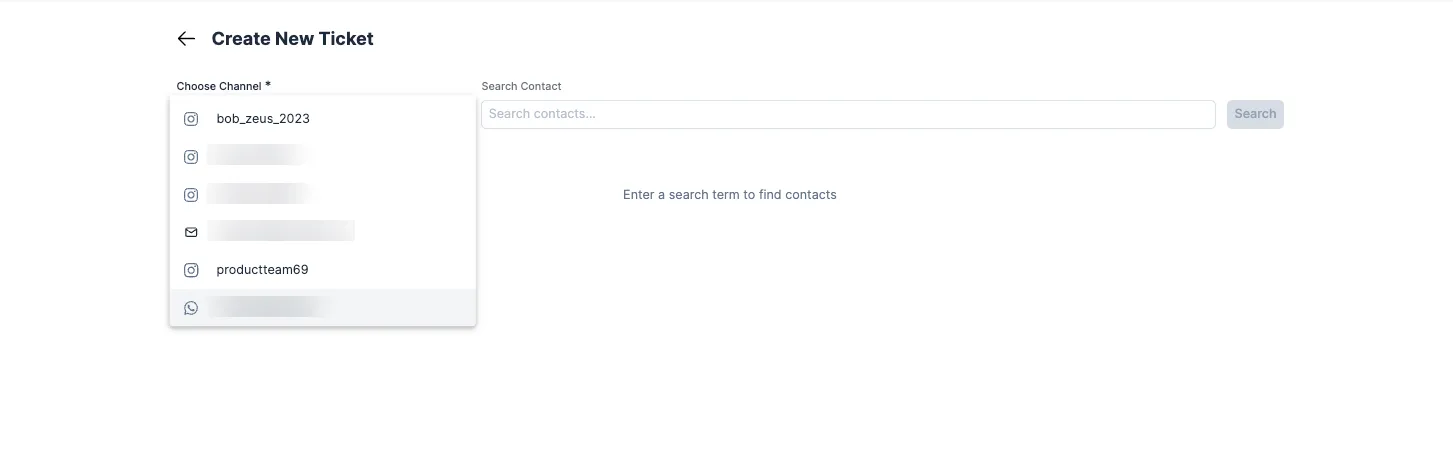
Click + New at the top right of the inbox.
-
Choose the channel: WhatsApp, Instagram or Email.
-
Search for the customer you want to contact.
-
Write your first message. You can send text, an attachment or a template.
-
Click Send. The ticket is created and appears in the inbox.
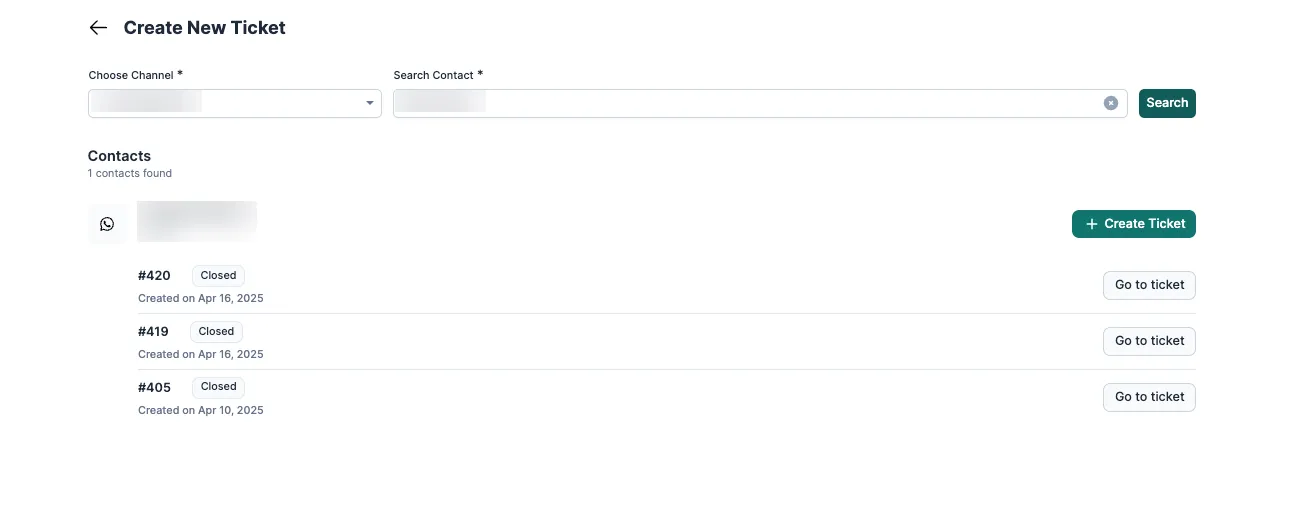
A ticket your team creates is always an agent ticket, and the person who created it is assigned to it first.
Channel rules
Section titled “Channel rules”WhatsApp: the 24-hour window
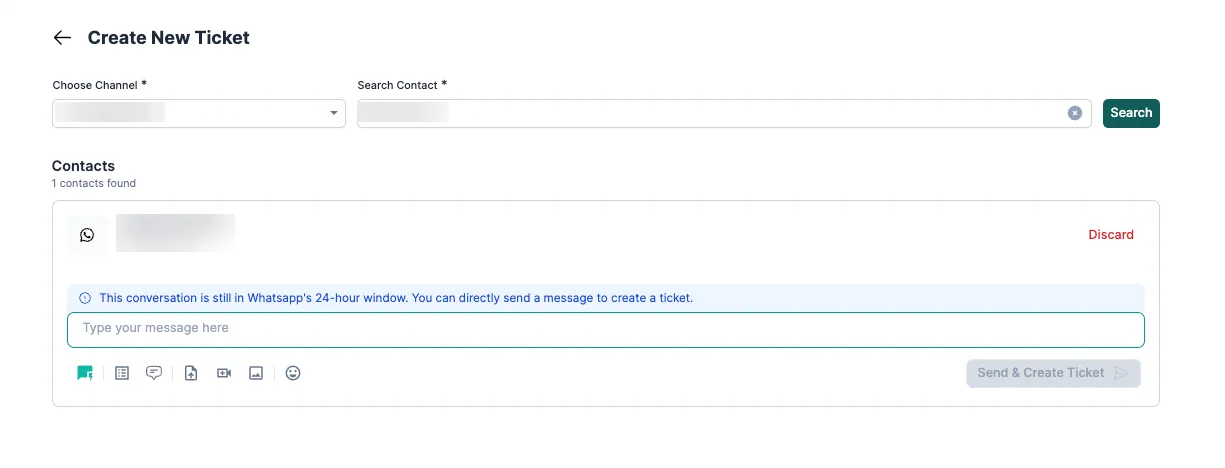
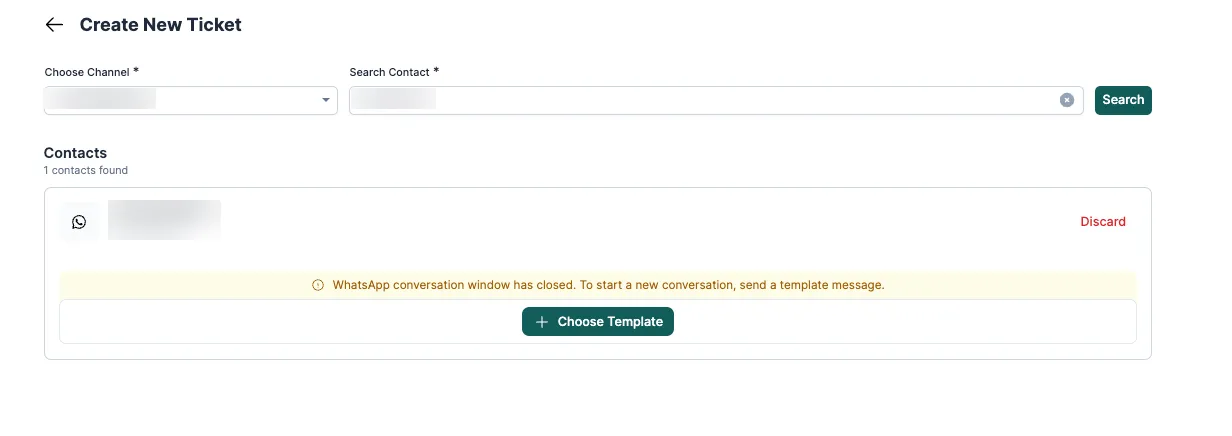
Section titled “WhatsApp: the 24-hour window”Meta lets you send a free-text message only within 24 hours of the customer’s last message.
-
Within 24 hours: send a free-text message to start the ticket.
-
After 24 hours: start with an approved WhatsApp template. When the customer replies, the 24-hour window opens again and you can send free-text messages in the same ticket.
Instagram: the 7-day window
Section titled “Instagram: the 7-day window”-
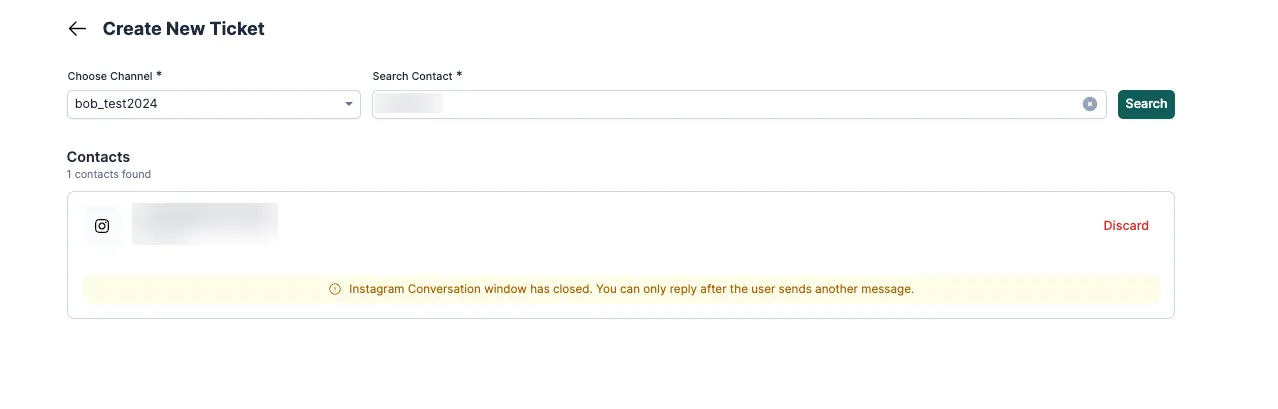
Within 7 days of the customer’s last message: send a reply and a ticket is created.
-
After 7 days: you can’t start a conversation. The customer has to message you first. Instagram has no templates like WhatsApp.
Email: any time
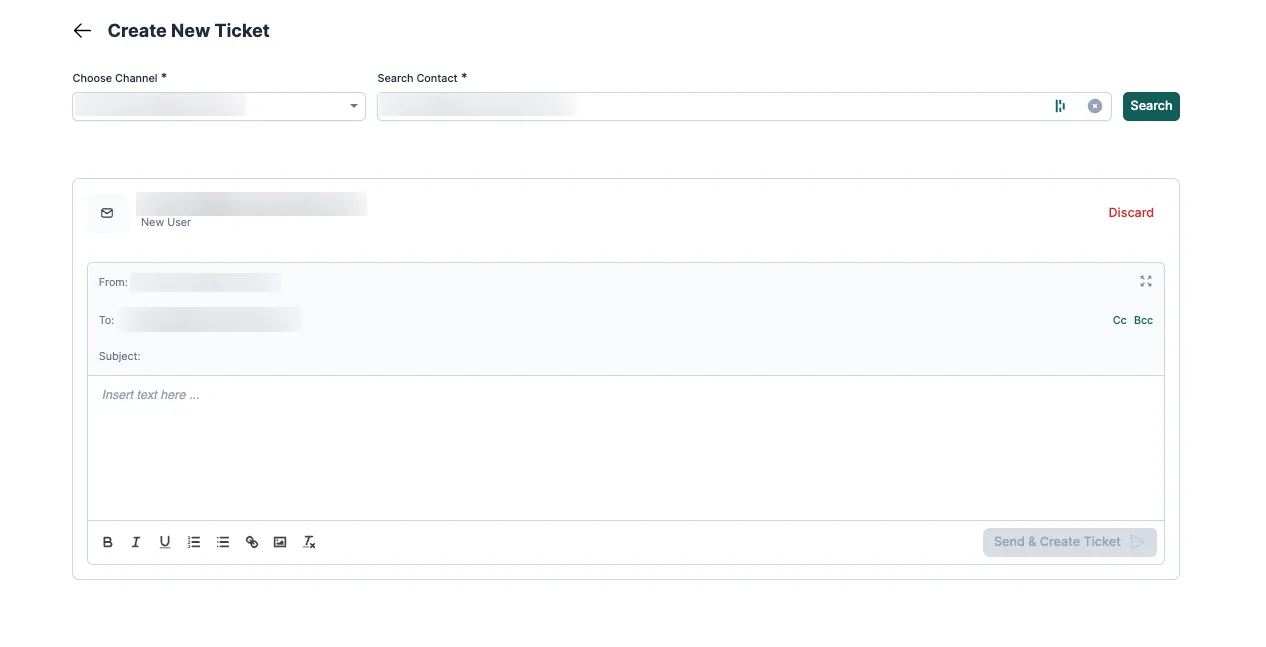
Section titled “Email: any time”There’s no time limit. You can email any contact whose address you have, with free text and attachments.
Knowing these rules helps your team pick the right way to reach a customer (template or free text), avoid failed tickets and stay within Meta’s policies.
One ticket per conversation
Section titled “One ticket per conversation”- Once a ticket exists, everything the customer and your team say on that channel goes into it.
- If the customer writes again while the ticket is open, the message is added to the same ticket.
- A new ticket is created only when the previous one is closed, either by hand or by an auto-close rule.
This keeps each issue in one place, gives agents the full context, and keeps reports clean.
Related
Section titled “Related”Was this page helpful?
Thanks, this helps us improve this page.
Still stuck? Email support@businessonbot.com