

Track your campaign results
Campaigns overview, campaign analytics, campaign results, campaign report, ROAS, return on ad spend, reply rate, Continue draft, stop campaignThe Campaigns page shows how your campaigns are doing and lists every campaign you’ve created. To open it, click Campaigns in the left menu.
To start a new campaign, click Run campaign. If you have a campaign you didn’t finish, you’ll see New Campaign and Continue draft instead. Continue draft opens your most recent draft where you left off.
Summary metrics
Section titled “Summary metrics”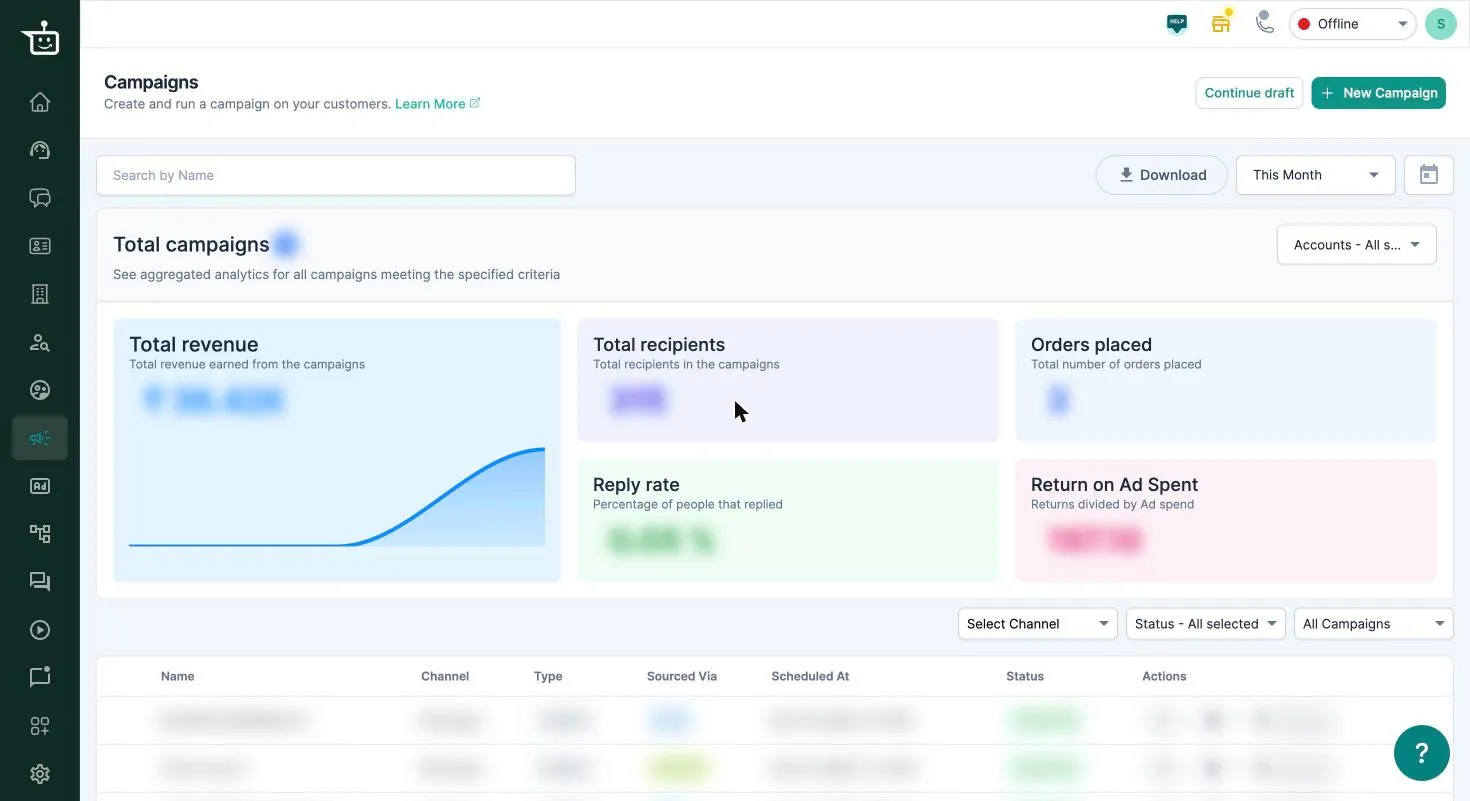
The cards at the top add up your completed campaigns. Campaigns that are scheduled, running or drafts aren’t counted yet.
| Card | What it shows |
|---|---|
| Total campaigns | How many completed campaigns match your filters |
| Total revenue | Revenue from orders credited to these campaigns |
| Total recipients | People the campaigns were sent to |
| Orders placed | Orders credited to these campaigns |
| Reply rate | The share of people who received a message and replied |
| Return on Ad Spent | Revenue ÷ the estimated cost of the messages sent |
To narrow the numbers down:
- Search by Name to pick specific campaigns.
- Pick a date range.
- Choose Accounts if you have more than one WhatsApp number.
Click Download to get a CSV with each campaign’s clicks, recipients, replies, reads, unsubscribes, orders, revenue, return on ad spend and deliverability.
For how orders are credited to a campaign, see Dashboard overview.
The campaign list
Section titled “The campaign list”Each row shows the campaign’s Channel, Type (for example a follow-up or AI-enabled campaign), how recipients were chosen (EXCEL upload or SEGMENT), when it’s scheduled, and its Status:
| Status | Meaning |
|---|---|
| DRAFTED | Saved but not launched |
| SCHEDULED | Waiting for its send time |
| ACTIVE | Sending now |
| PAUSED | Paused |
| COMPLETED | Finished sending |
| STOPPED | Stopped before it finished |
Filter the list by Channel, Status, or Filter By (all, AI-enabled or follow-up campaigns). A campaign with follow-ups can be expanded to show them.
What you can do with a campaign
Section titled “What you can do with a campaign”- View stats for any campaign that has been launched.
- Edit or Delete a draft.
- Stop Campaign before a scheduled campaign is sent.
- Retarget a WhatsApp campaign to send a new message to some or all of its recipients. See Retarget a campaign.
- For AI Voice campaigns: Stop calls and Resume calls.
Related
Section titled “Related”Was this page helpful?
Thanks, this helps us improve this page.
Still stuck? Email support@businessonbot.com