

Instagram overall and feed analytics
Overall and Feed Analytics, Instagram analytics, feed analytics, private reply analytics, Agent ChatPrivate reply automation has two analytics views. Overall analytics sums up all your Instagram content and automations. Feed analytics breaks the numbers down post by post.
Open them
Section titled “Open them”- Go to Bot Configuration → Private Reply Automation and click Analytics (top right). This is the overall analytics page.
- Click Feed Analytics to see the post-by-post view.
Use the account dropdown to switch Instagram accounts and the date dropdown (top right) to change the time range.
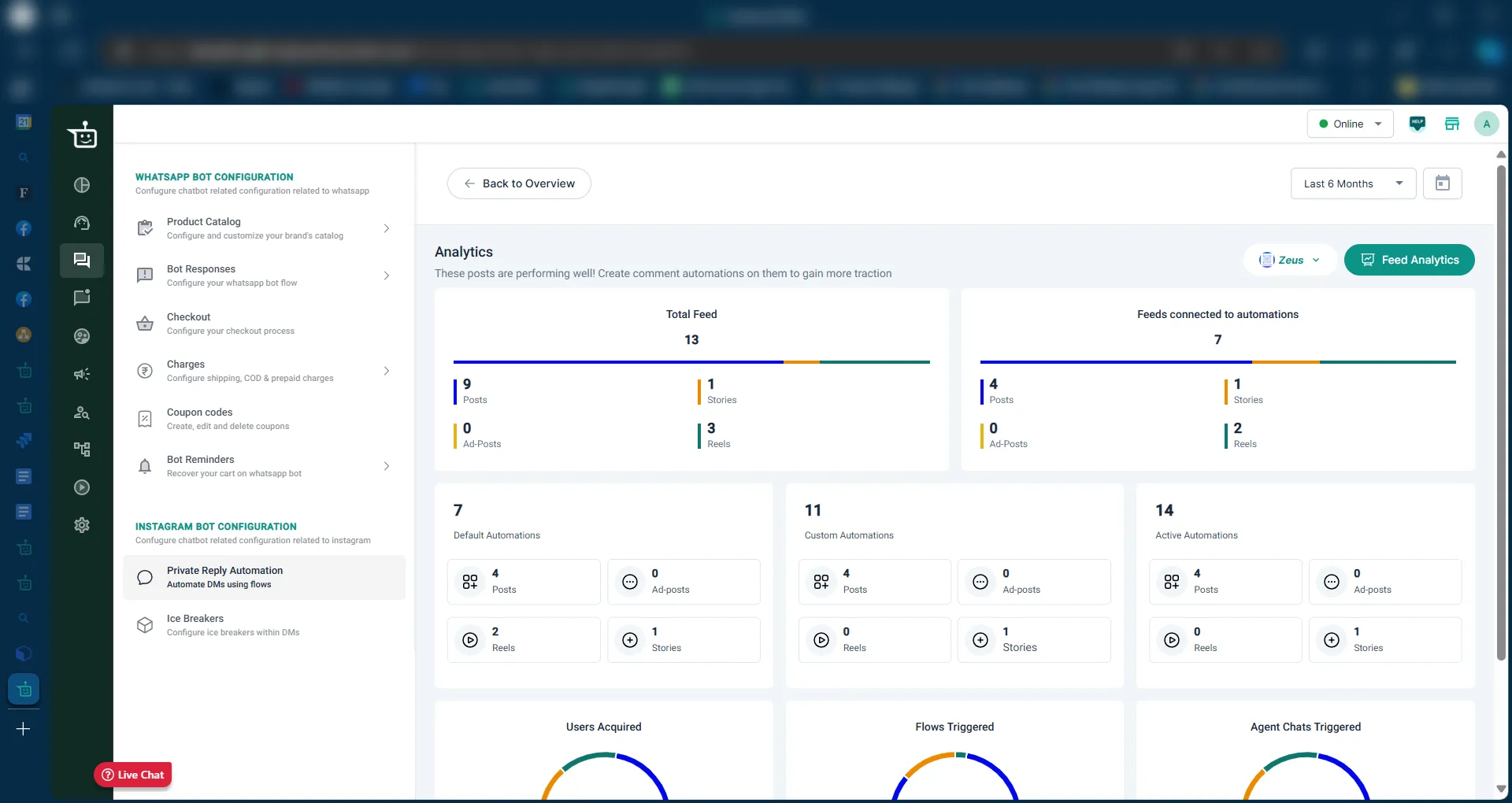
Overall analytics
Section titled “Overall analytics”| Section | What it shows |
|---|---|
| Total Feed | How much content you’ve published, split into posts, stories, ad posts and reels |
| Feeds connected to automations | How many of those have an automation connected |
| Default Automations | Preset automations that trigger on actions such as comments or DMs, by content type |
| Custom Automations | Automations you’ve built for specific engagement, by content type |
| Active Automations | Automations that are live right now, by content type |
| Users Acquired | Users brought in through your automations, with a chart by content type |
| Flows Triggered | Total number of flows your automations have started |
| Agent Chats Triggered | How many chats were handed to agents in the Support Inbox |
Feed analytics
Section titled “Feed analytics”Feed analytics has a tab each for Posts, Reels, Stories and Ad posts, with the number of items published in the selected time range. For each item you see:
| Metric | What it shows |
|---|---|
| Likes and comments | Engagement on the item, with its creation date |
| Default, custom and active automations | Which automations are connected to the item |
| Users Acquired | Users brought in through this item |
| Flows Triggered | Flows started from this item |
| Agent Chats Triggered | Chats handed to agents from this item |
If a post gets plenty of likes but has no automations or triggered flows, add an automation to turn that engagement into conversations and sales. See Step 2: Set up private replies.
Related
Section titled “Related”Was this page helpful?
Thanks, this helps us improve this page.
Still stuck? Email support@businessonbot.com