

Step 2: Set up private replies
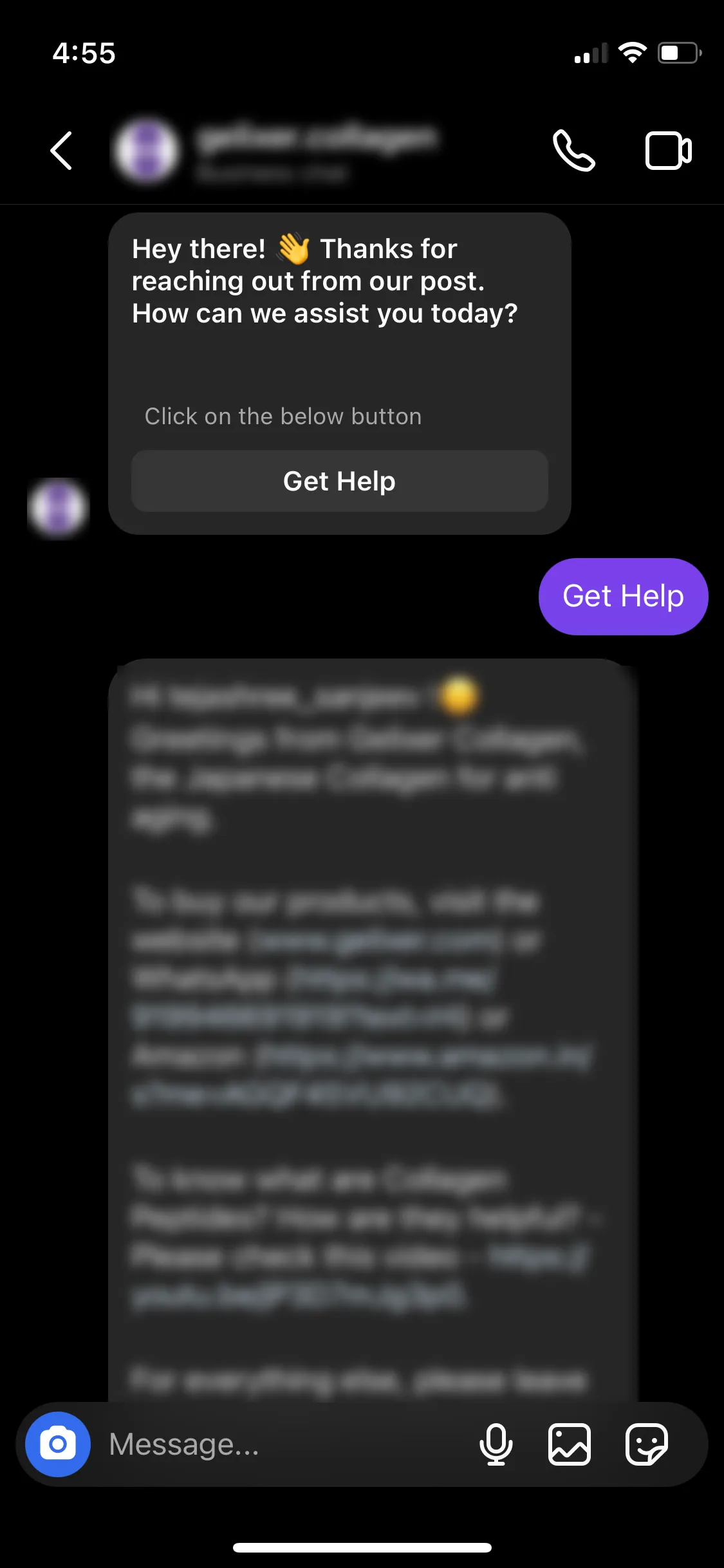
Step 2: Setup Private Replies, Private Reply Automation, private replies, comment to DM, Instagram comment automation, Agent ChatWhen you finish, anyone who comments on the post you choose gets an automatic reply in their Instagram DMs, which starts a flow or hands them to an agent in the Support Inbox.
This is step 2 of 3 in setting up Instagram: ice breakers, then private replies, then comment automation.
Create a private reply automation
Section titled “Create a private reply automation”-
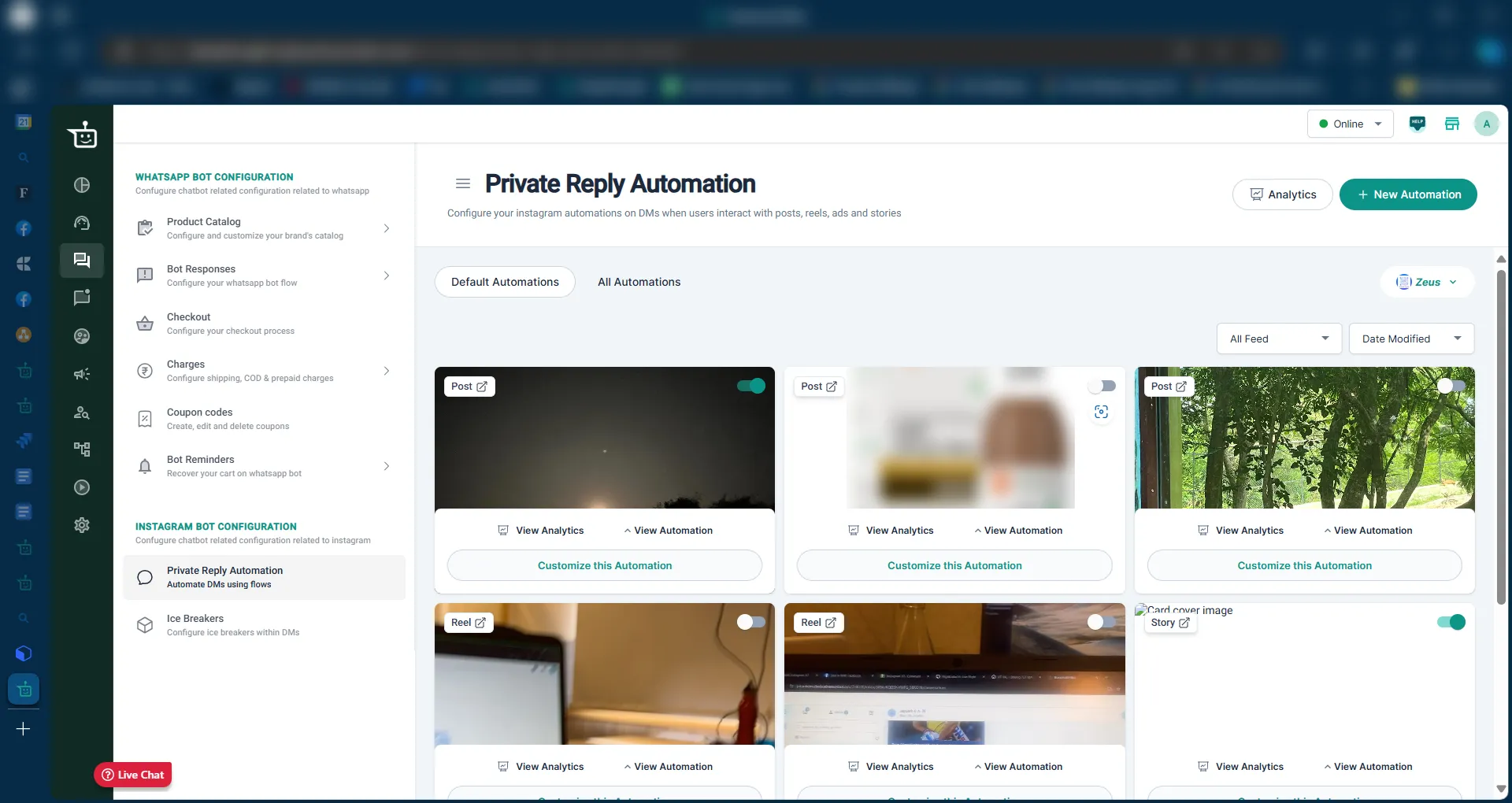
In your BusinessOnBot dashboard, go to Bot Configuration. Scroll down to the Instagram section and click Private Reply Automation.
-
Click New Automation.
-
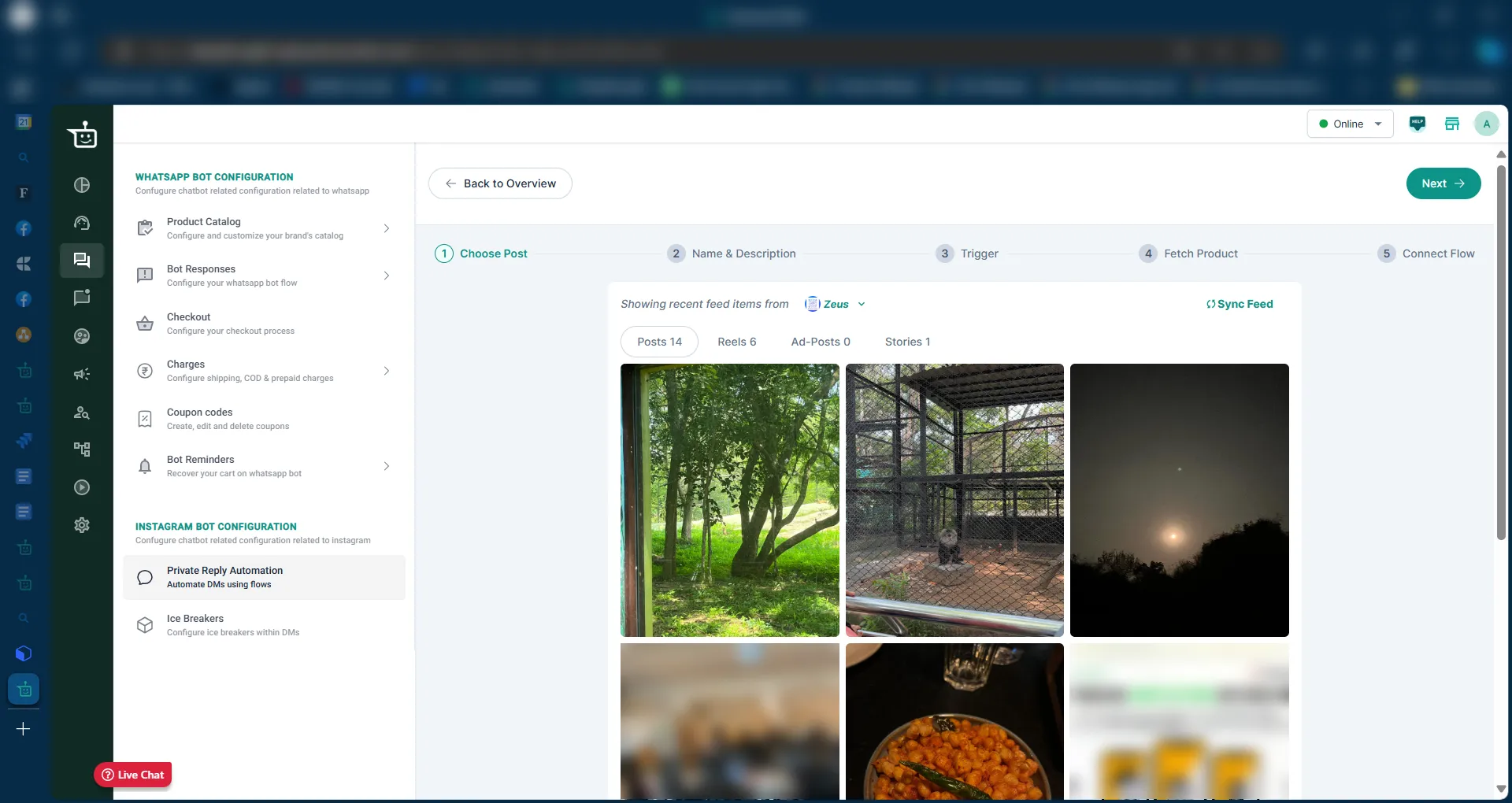
If you have more than one Instagram account connected, choose the account from the dropdown.
-
Pick the tab for the content you want to automate: Posts, Reels, Ad-Posts or Stories. If your latest content is missing, click Sync Feed.
-
Select the post, then click Name & Description to go to the next step.
-
Under Name & Description, give the automation a name and a description so you can tell it apart from your other automations.
-
Under Trigger, choose what starts the automation:
- Any comment: every comment on the post triggers it.
- Specific phrases, for example “Interested”. Click Add phrase to add more than one.
-
Under Fetch Product, select the product if the post is about one.
-
Under Connect Flow, choose what happens next:
- Send the customer to an agent. You can assign these chats to a specific agent, for example if one person handles comments on certain posts.
- Send the customer into a flow. The dropdown lists flows created in the flow builder with Comment Flows as the flow type.
-
Deploy the automation.
When private replies help
Section titled “When private replies help”| Customer comment | What the private reply can do |
|---|---|
| Asks for product or price details (“Price please”) | Send the details straight to their DMs |
| Common questions (“Do you ship internationally?”, “What are your payment options?”) | Answer automatically, saving your team’s time |
| “Where is my order?” | Send a tracking link or order status |
| Asks about offers or discounts | Share current promotions or a coupon code |
| Asks for suggestions | Send product recommendations |
| Enters a contest or giveaway | Confirm the entry and share next steps |
Private replies answer customers instantly, handle a high volume of comments without a bigger team, keep answers consistent, and move commenters toward a product page or offer.
Next step
Section titled “Next step”Step 3: Set up automation for comments →
Related
Section titled “Related”Was this page helpful?
Thanks, this helps us improve this page.
Still stuck? Email support@businessonbot.com