

Bot tickets and agent tickets
Bot vs Agent Tickets, bot ticket, agent ticket, talk to an agent, handover, Agent ChatEvery ticket in the Support Inbox is either a bot ticket or an agent ticket, depending on who is handling the conversation right now. The type tells you whether a person needs to step in, and it changes how some settings behave.
Bot tickets
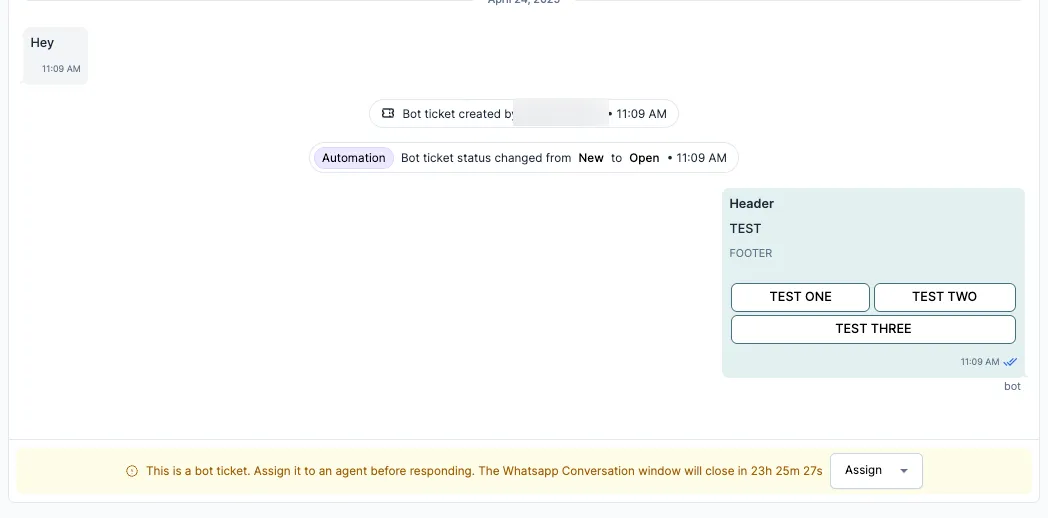
Section titled “Bot tickets”A bot ticket is a conversation your bot is handling. Bots run on WhatsApp and Instagram.
A ticket is a bot ticket when:
- a customer starts a conversation on WhatsApp or Instagram, and
- your bot is set up and turned on for that channel.
It stays a bot ticket while the customer is moving through a bot flow, such as FAQs, order status or feedback.
When a bot ticket becomes an agent ticket
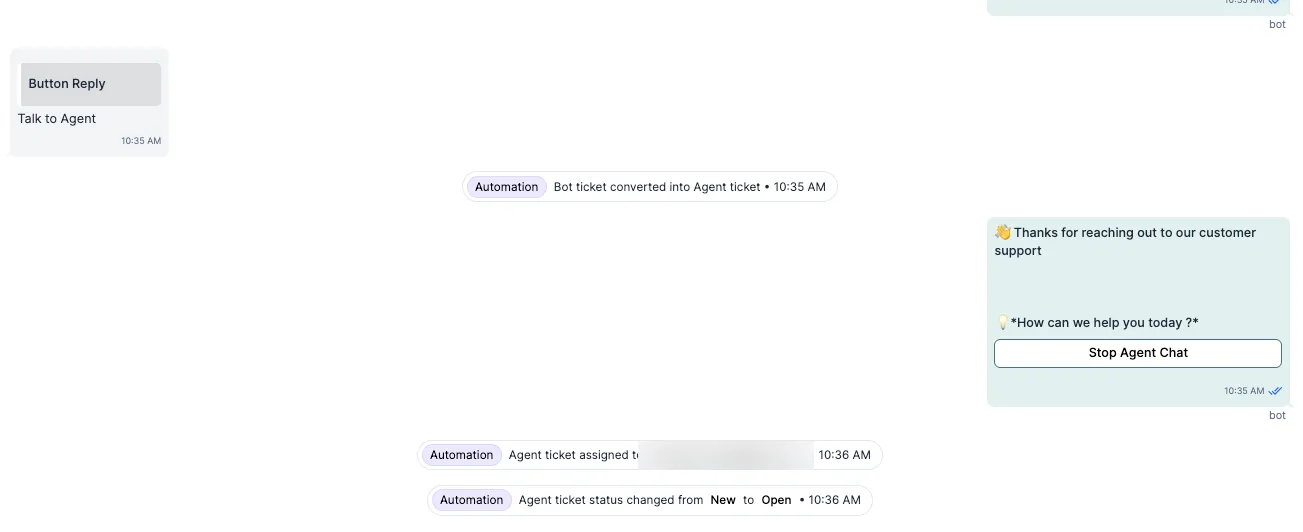
Section titled “When a bot ticket becomes an agent ticket”The ticket moves to an agent when the bot can’t handle the request, or when the customer asks for a person. It stays the same ticket: the bot steps out and an agent takes over.
Common triggers:
- The customer selects Talk to an agent.
- The bot doesn’t understand a free-text message and falls back to an agent.
- A flow ends with a hand-over to an agent.
After the hand-over, the ticket:
- changes from Bot Ticket to Agent Ticket
- shows up in the agents’ views
- gets no more bot replies, unless it is assigned back to the bot
Agent tickets
Section titled “Agent tickets”A ticket is an agent ticket when:
- an agent is handling it by hand
- an agent or admin created it
- it was assigned to an agent after the bot handed it over
- an agent or admin took over a bot ticket
Tickets start as agent tickets, with no bot involved, for:
- email (bots don’t run on email)
- WhatsApp and Instagram when the bot is turned off
- tickets your team creates
At a glance
Section titled “At a glance”| Channel | Bot on? | Ticket type when the customer writes | Can move to an agent? |
|---|---|---|---|
| Yes | Bot ticket | Yes, through a flow or fallback | |
| No | Agent ticket | Already an agent ticket | |
| Instagram DM | Yes | Bot ticket | Yes, through a flow or fallback |
| Instagram DM | No | Agent ticket | Already an agent ticket |
| Not available | Agent ticket | Already an agent ticket | |
| Created by your team (any channel) | Not used | Agent ticket | Already an agent ticket |
Why it matters
Section titled “Why it matters”- Agents can see who was handling the conversation before them.
- Reports and response targets can separate bot work from agent work.
- You can use the bot for routine questions and still see when a person needs to step in.
Related
Section titled “Related”Was this page helpful?
Thanks, this helps us improve this page.
Still stuck? Email support@businessonbot.com