

Common questions
FAQ, FAQs, Frequently Asked Questions, Instagram FAQ, Agent Chat, Agent SupportCan I connect more than one Instagram account to the same dashboard?
Section titled “Can I connect more than one Instagram account to the same dashboard?”Yes. You can connect multiple Instagram accounts to one BusinessOnBot dashboard. See connect your Instagram account.
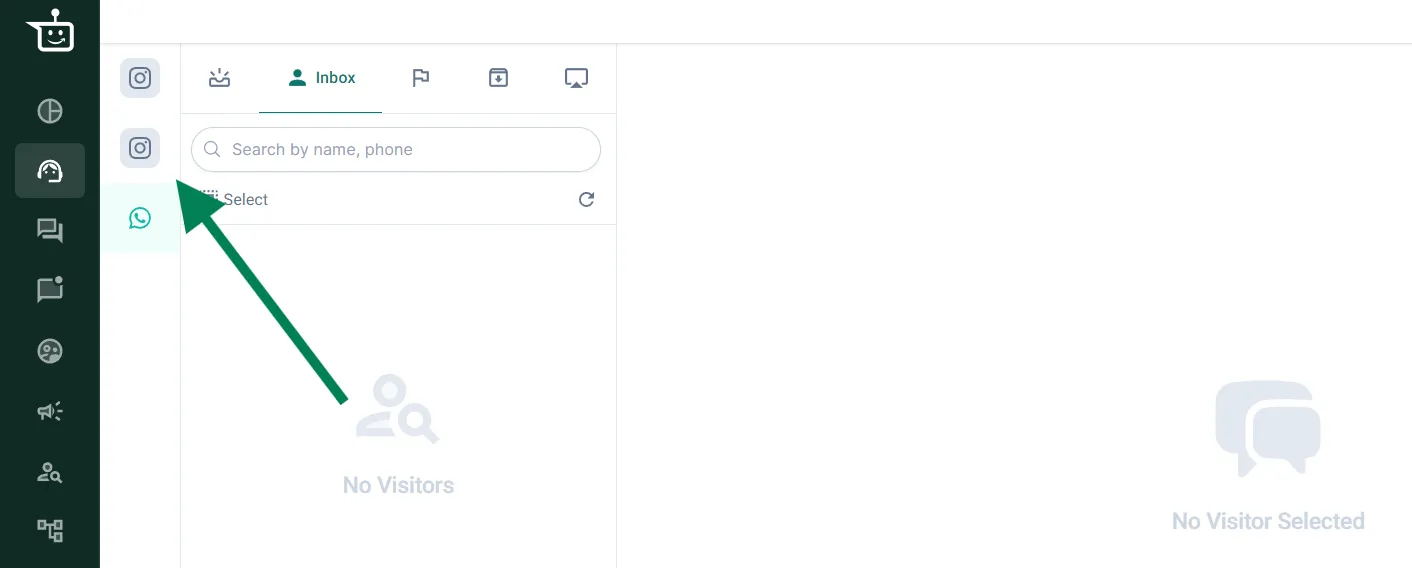
Where do I see and reply to my Instagram DMs?
Section titled “Where do I see and reply to my Instagram DMs?”In the Support Inbox. Click the Instagram icon in the inbox panel to see Instagram chats, and the WhatsApp icon to switch back. Your WhatsApp and Instagram chats are kept separate.
I’m not receiving Instagram messages after connecting my account. What should I check?
Section titled “I’m not receiving Instagram messages after connecting my account. What should I check?”Go to Settings → Integrations Suite → Channels and check that your Instagram account is listed. If it isn’t, connect it again. If it is listed and messages still don’t arrive, contact support.
I can’t see my Instagram page while connecting it. Why?
Section titled “I can’t see my Instagram page while connecting it. Why?”Your Facebook Business Manager is probably not linked to your Instagram page. Link them, then try connecting again.
How do I reply to Instagram comments?
Section titled “How do I reply to Instagram comments?”Comments come into your Support Inbox, and anything you reply there reaches the customer in their DMs. To reply automatically, set up a private reply automation.
Can BusinessOnBot post an automatic public reply to a comment?
Section titled “Can BusinessOnBot post an automatic public reply to a comment?”No. You can’t automate a public reply under the comment, but you can reply automatically in the customer’s DMs with a private reply automation.
Why can’t I see my ice breakers any more?
Section titled “Why can’t I see my ice breakers any more?”Ice breakers appear only during a customer’s first conversation with your brand’s DMs. See ice breakers.
What happens if a customer doesn’t tap an ice breaker?
Section titled “What happens if a customer doesn’t tap an ice breaker?”Their message goes straight to the Support Inbox for an agent to answer.
What happens when customers message outside working hours?
Section titled “What happens when customers message outside working hours?”You can send an automatic message during non-working hours, just like on WhatsApp. Go to Settings → Schedule → Working Hours → Configure. See also business hours.
Is there analytics for Instagram?
Section titled “Is there analytics for Instagram?”Yes. Private reply automations have overall analytics, feed analytics and per-automation analytics, and ice breakers have their own analytics. You find them inside each feature. See overall and feed analytics and private reply automation analytics.
Was this page helpful?
Thanks, this helps us improve this page.
Still stuck? Email support@businessonbot.com