

Set a fallback action in a flow
Fallback Action in a Flow, fallback message, unexpected reply, Agent ChatA fallback action runs when a customer replies to a button or list message with something the flow doesn’t expect, for example by typing text instead of tapping an option. It keeps the conversation from breaking, so every flow with an interactive message needs one.
When the fallback runs
Section titled “When the fallback runs”- Button and list messages: the fallback runs if the reply is not one of the options.
- Other messages: any reply counts as valid and the flow moves to the next step, unless you’ve added a validation check. See Send several messages and validate replies.
- One-step flows (a flow with only an end journey) have no fallback action.
To keep the fallback rare, avoid open-ended questions and give customers clear options to choose from.
Add a fallback action
Section titled “Add a fallback action”-
At the end of your flow, click Add Fallback action.

-
Under Actions, choose what happens:
- Transfer to Bot: the bot continues handling the conversation.
- Send to Agent Chat: the customer goes to the waiting room in the Support Inbox, where an available agent picks up the chat.
- Assign to Agent: the chat goes straight to one agent.
- Do nothing: no reply is sent.
-
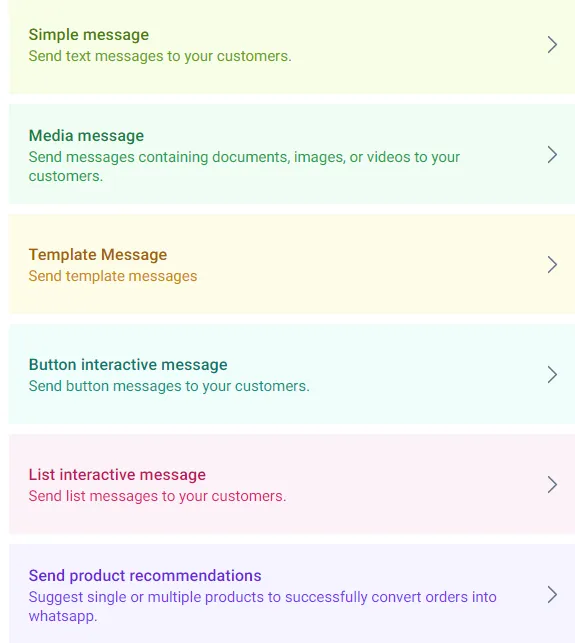
Optionally, turn on Send message (Optional) and choose a message type to send with the action. The same message types as in the rest of the flow are available.
-
Save the fallback action.
Sending fallback replies to the Support Inbox usually gives customers the best experience, because a person can pick up where the bot couldn’t.
Related
Section titled “Related”Was this page helpful?
Thanks, this helps us improve this page.
Still stuck? Email support@businessonbot.com