

Grow referrals and loyalty on WhatsApp
Boost Referral engagement for User Acquisition, referral, refer and earn, loyalty, word of mouthGoal: get more customers to refer friends and family, and keep them loyal, by inviting them into your referral programme on WhatsApp when they are most likely to say yes.
Who it’s for
Section titled “Who it’s for”Brands that run, or plan to run, the BusinessOnBot referral programme. Set up the programme first in Referral. Referral points are earned when a referred customer buys; loyalty points are earned on a customer’s own purchases. Both can be redeemed on future orders.
The recipe
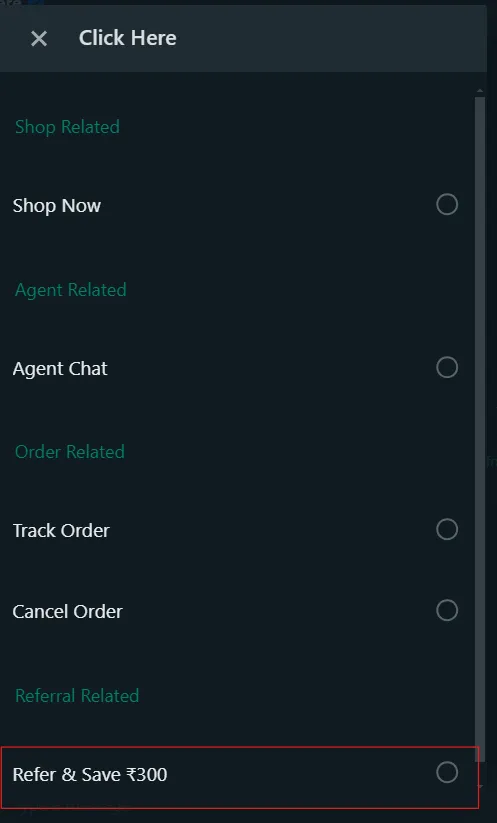
Section titled “The recipe”1. Add a referral option to your welcome message
Section titled “1. Add a referral option to your welcome message”Include a referral option in the welcome message for new customers, offering a discount on their next purchase for every successful referral.
2. Invite happy reviewers to refer
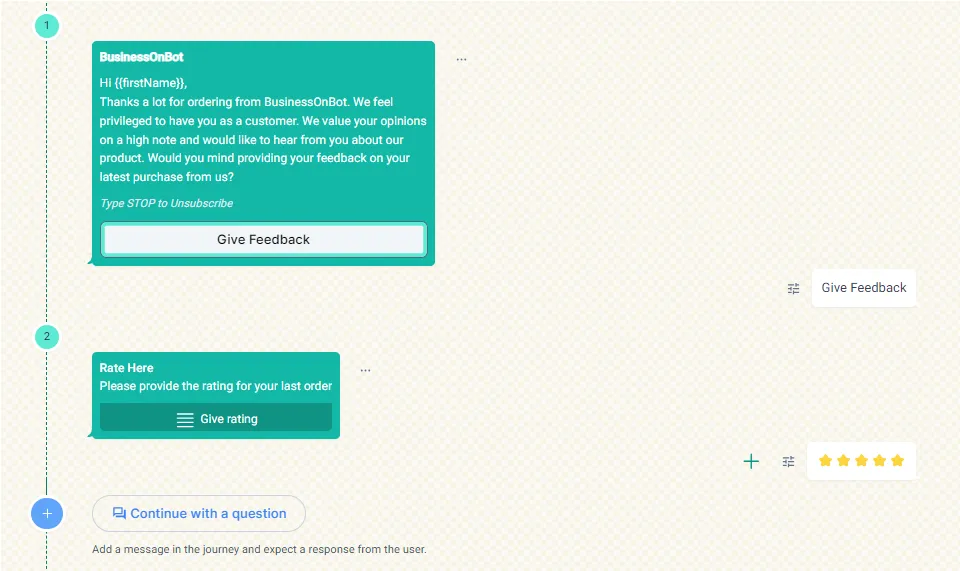
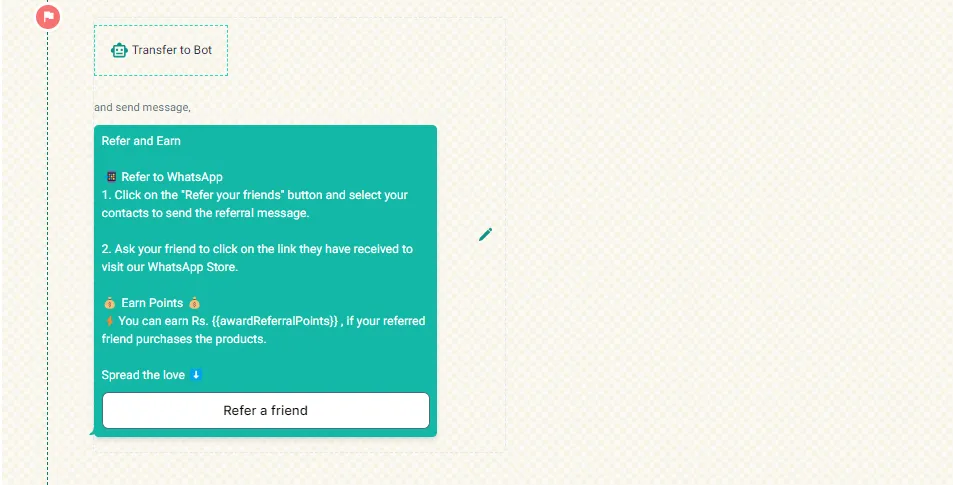
Section titled “2. Invite happy reviewers to refer”Start a referral journey for customers who give a 4- or 5-star rating in the feedback message. Build a flow like the one below and set it up in the feedback notification (Collect customer feedback on WhatsApp).
3. Invite your frequent buyers
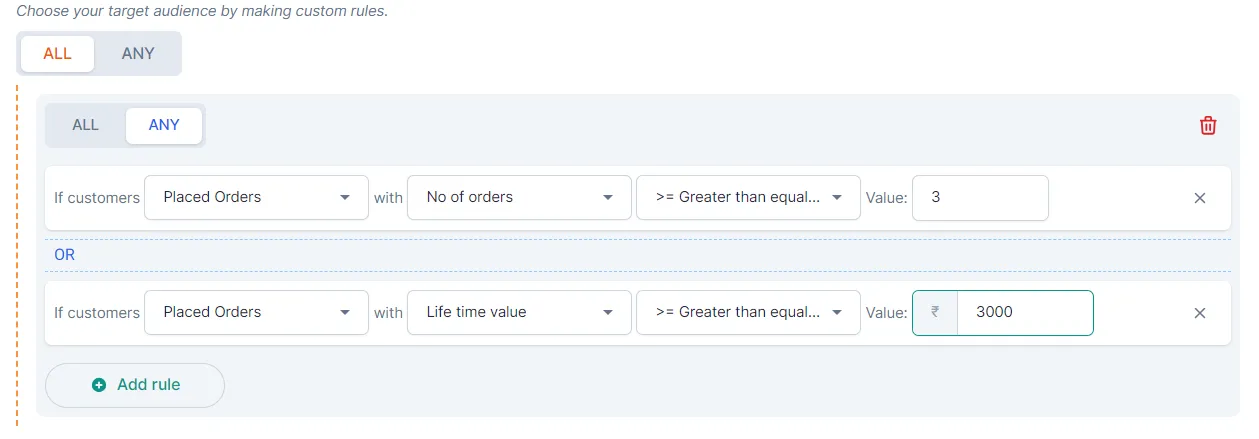
Section titled “3. Invite your frequent buyers”Create a smart automation for customers who bought more than a set number of times or spent more than a set amount, and send them a referral template.
4. Welcome first-time buyers with a referral offer
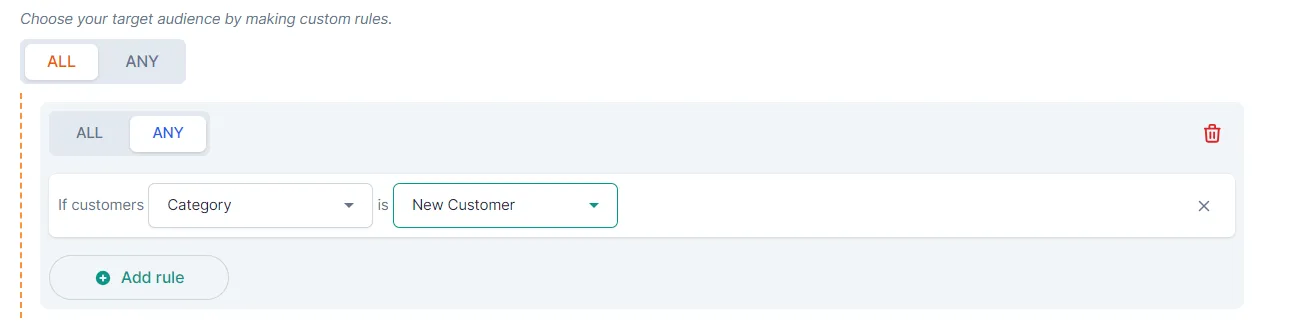
Section titled “4. Welcome first-time buyers with a referral offer”Create a smart automation for customers who bought from you for the first time, and send them a welcome message with a referral offer: a discount on their next purchase for each referral.
5. Share testimonials and ask for referrals
Section titled “5. Share testimonials and ask for referrals”From time to time, send customer testimonials and ask if they know someone who would benefit from similar products. Offer a discount to both the referrer and the new customer.
6. Ask for a referral on delivery
Section titled “6. Ask for a referral on delivery”When an order is delivered, send a message that thanks the customer and invites them to refer friends for discounts. Trigger it from the delivery notification. See Set up delivery and out-for-delivery messages.
7. Invite pop-up sign-ups to the programme
Section titled “7. Invite pop-up sign-ups to the programme”When a visitor enters their phone number in the customer details pop-up on your website, invite them to join the referral programme straight away with a smart automation. See Customer details pop-up and Message customers who use your website widgets.
8. Use your best-reviewed products
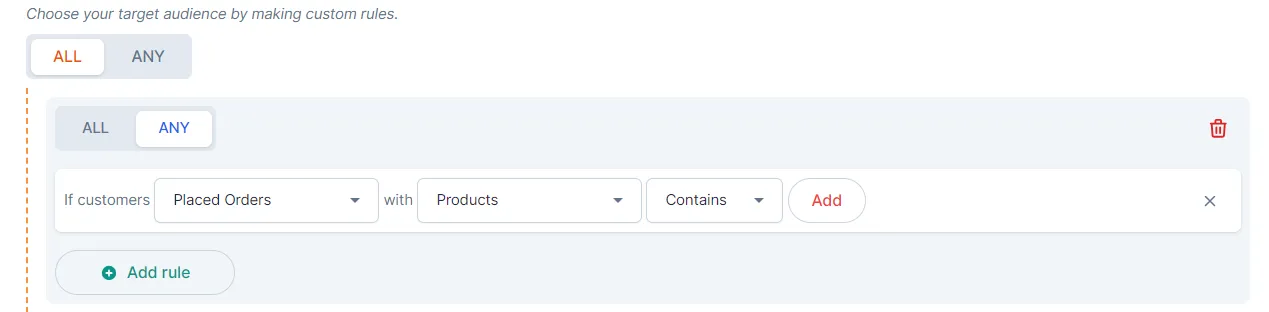
Section titled “8. Use your best-reviewed products”Create a smart automation for customers who bought your best-reviewed products. Send a referral message that highlights how popular the product is, with a referral incentive.
Related
Section titled “Related”Was this page helpful?
Thanks, this helps us improve this page.
Still stuck? Email support@businessonbot.com