

Use your dashboard to improve WhatsApp results
Analyzing WhatsApp performance on the dashboard, dashboard, analytics, reports, template usage countGoal: use the numbers on your BusinessOnBot dashboard to decide what to do more of, what to fix, and where customers get stuck on WhatsApp.
Who it’s for
Section titled “Who it’s for”Brand owners, marketers and support leads who want to make data-driven changes to their WhatsApp setup.
What to look at
Section titled “What to look at”| Report | What it tells you | What to do with it |
|---|---|---|
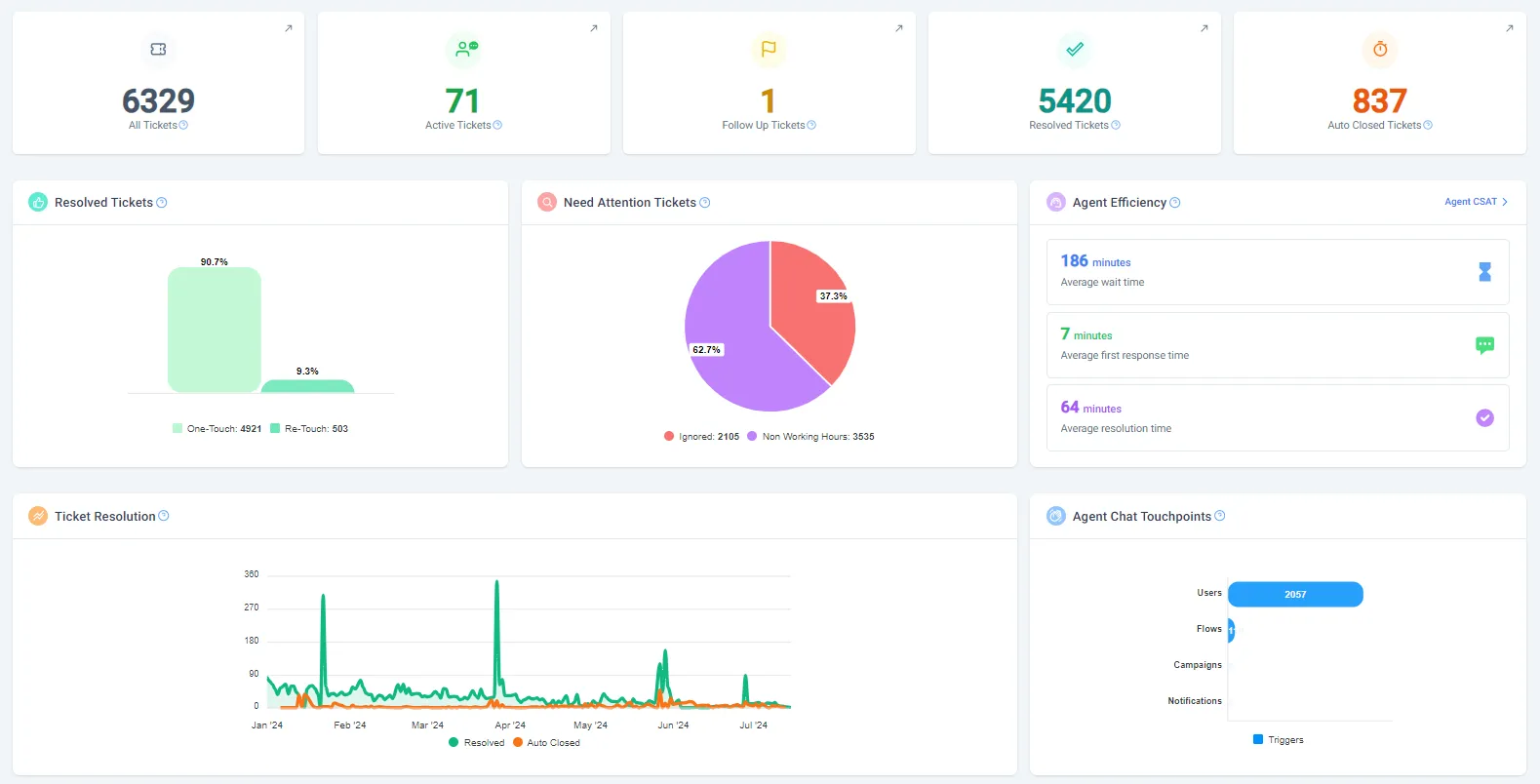
| Agent analytics | Tickets, resolution, agent efficiency and touchpoints for each agent | Spot your top performers and where agents need more training or support |
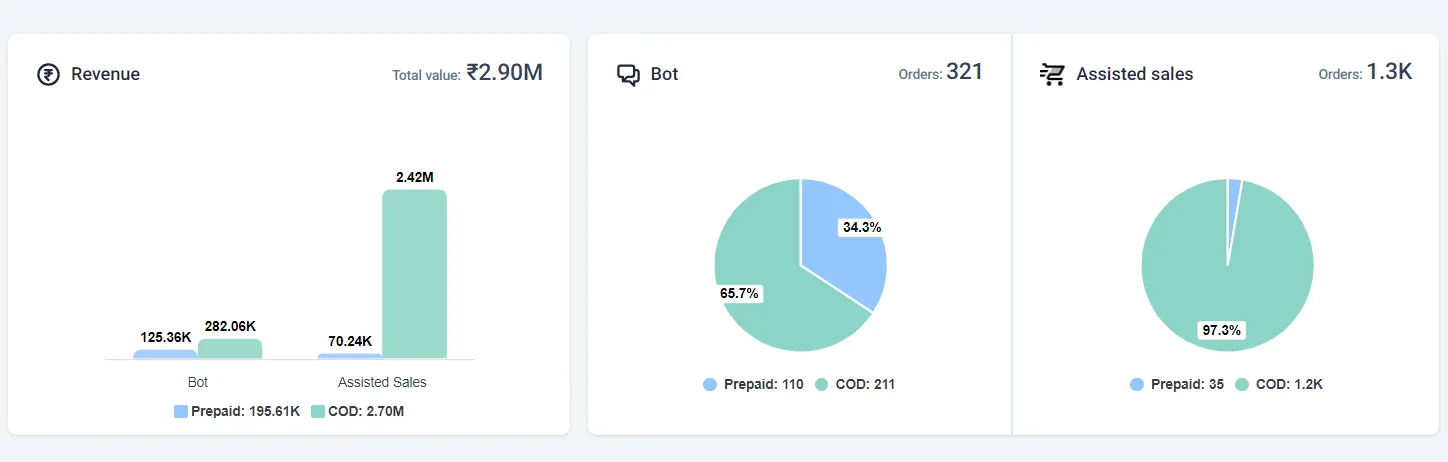
| Orders from WhatsApp | Orders and revenue from the bot and from assisted sales, prepaid and COD, over time | Talk to customers who ordered on WhatsApp to learn about their journey and remove pain points |
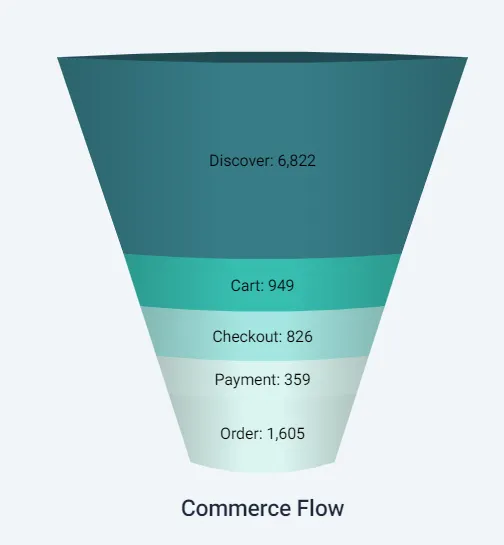
| Drop-off funnel | How many shoppers move through Discover, Cart, Checkout, Payment and Order | Fix the step where most shoppers drop off |
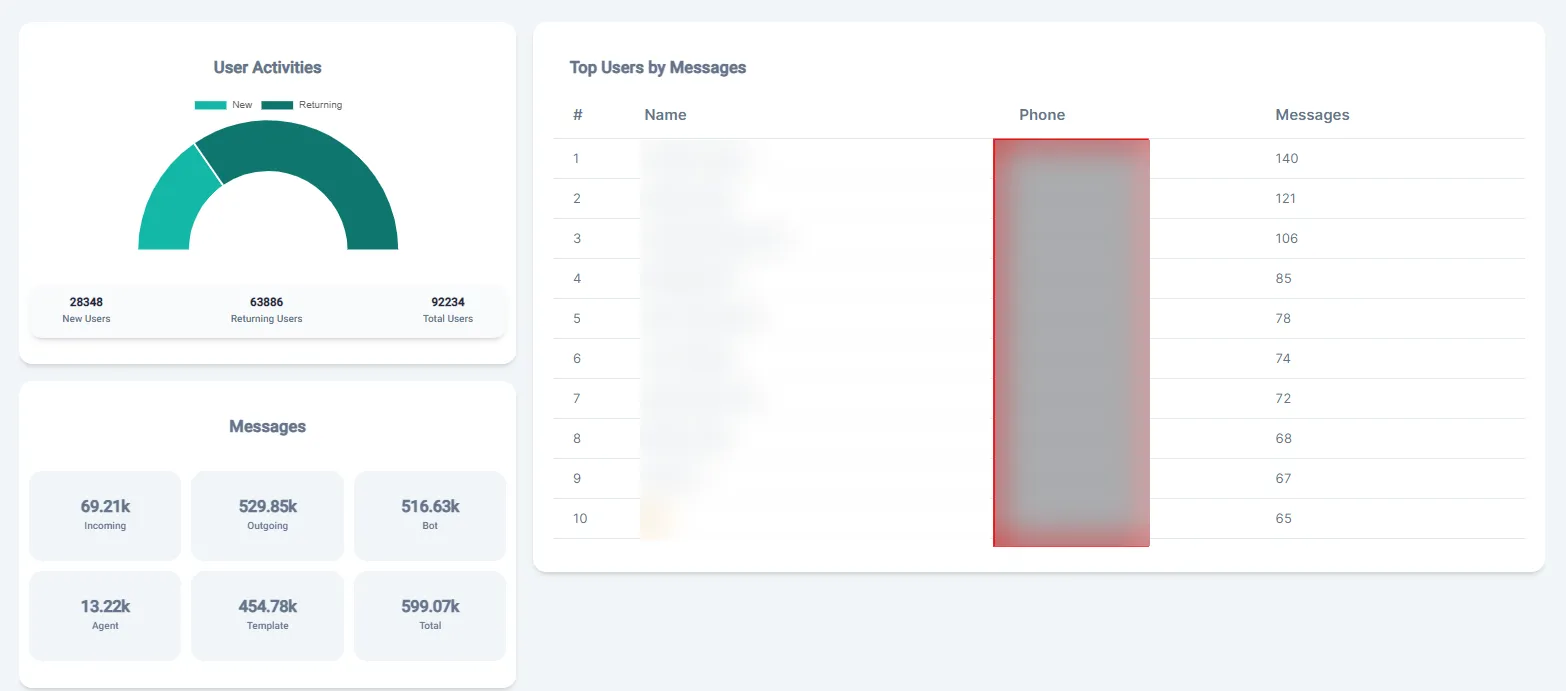
| Messages and top users | Message volume, and your most active users | Understand engagement patterns and tailor your messaging |
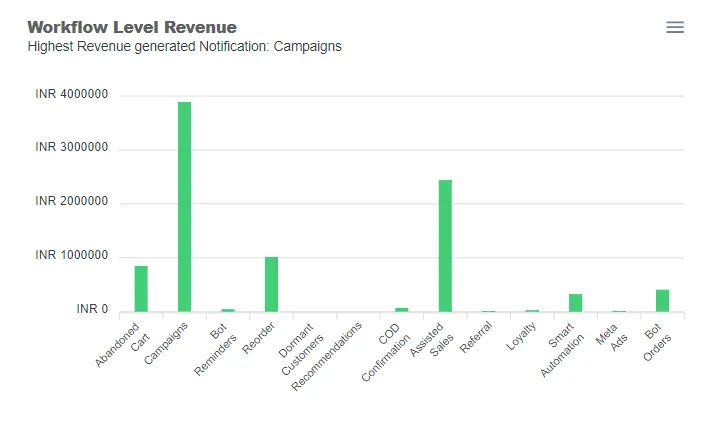
| Revenue by feature | Revenue from each feature, such as recommendations, cart reminders and promotional messages | Put more effort into the features that sell most |
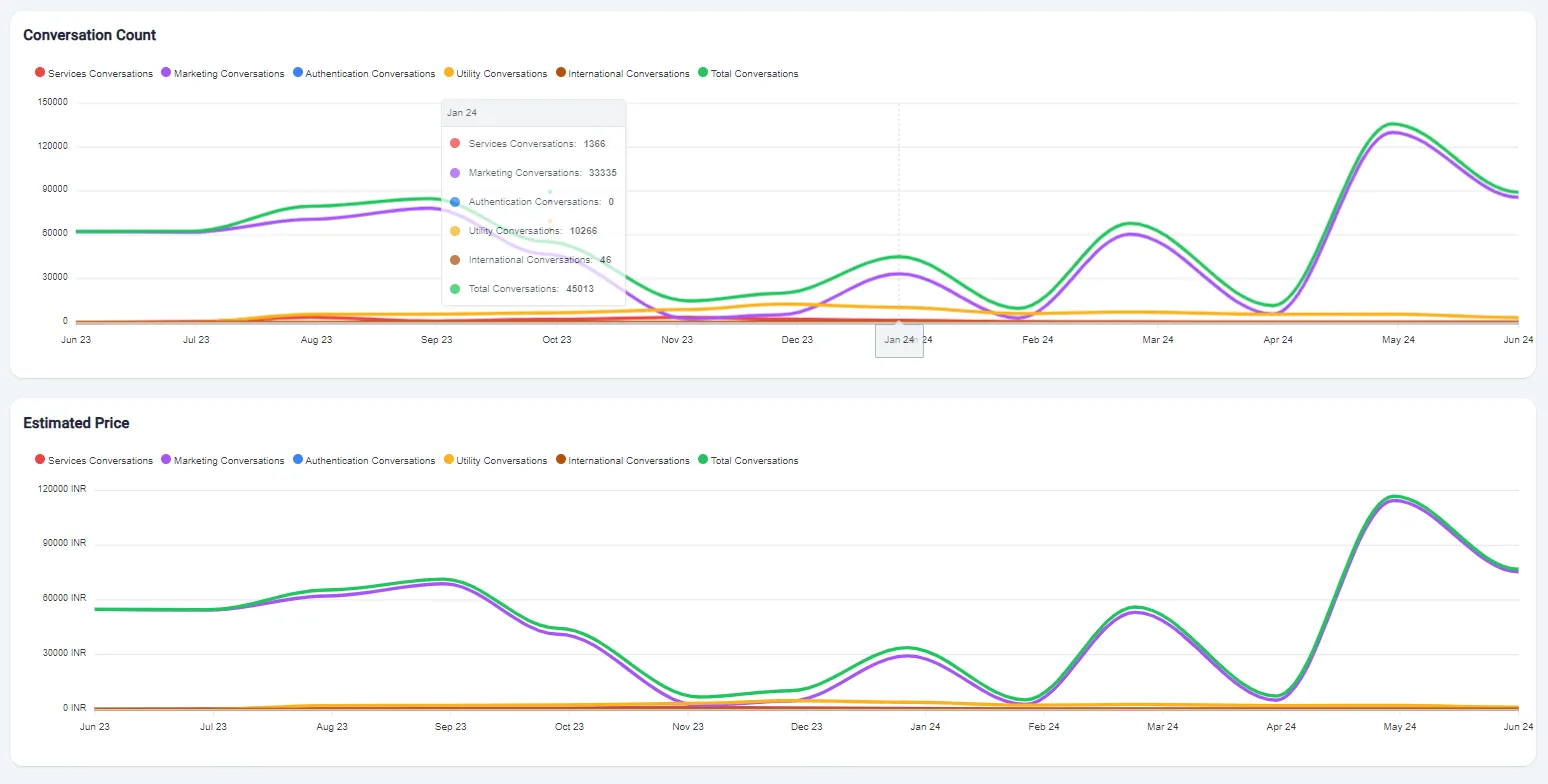
| Sessions | Conversations started each month, by type | Plan support availability and resources |
| Template usage count | How often each template was sent, and the most common customer replies to it | Improve template content, and build a flow for the replies customers send most |
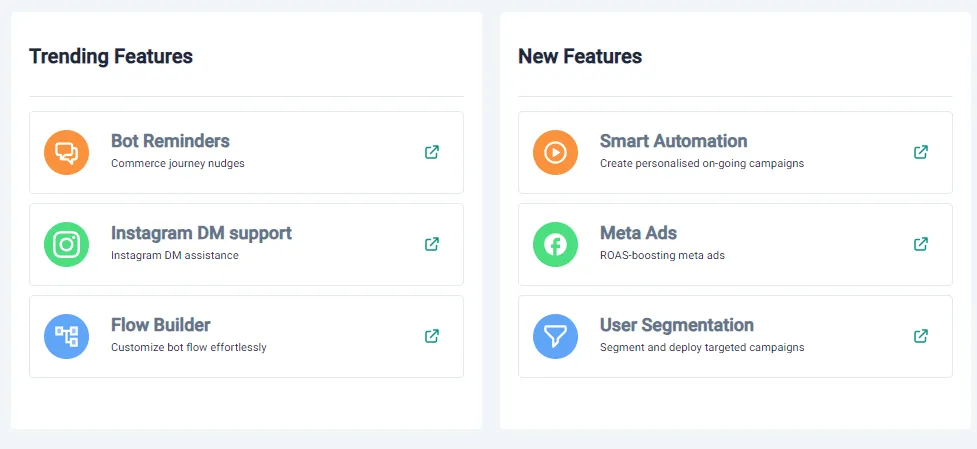
| New and trending features | Features recently launched or currently trending | Try what’s new |
The recipe
Section titled “The recipe”1. Double down on the notifications that work
Section titled “1. Double down on the notifications that work”Compare revenue by feature to see which notifications drive the most customer action. Invest in the high performers, and change or turn off the ones that underperform.
2. Learn from WhatsApp orders
Section titled “2. Learn from WhatsApp orders”Check the average number of orders coming through WhatsApp. Reach out to those customers to understand their journey, and use what they say to improve the buying experience.
3. Fix your biggest drop-off
Section titled “3. Fix your biggest drop-off”Find the step in the funnel where most shoppers leave. Then make changes there, such as a simpler checkout, reminders at that step, or extra help from your support team.
See also Recover drop-offs in your WhatsApp store with bot reminders.
4. Improve your templates
Section titled “4. Improve your templates”Use the template usage count to improve template content and when you send it. The report also lists the replies customers send most often to each template. If many customers ask the same thing, build a flow that answers it.
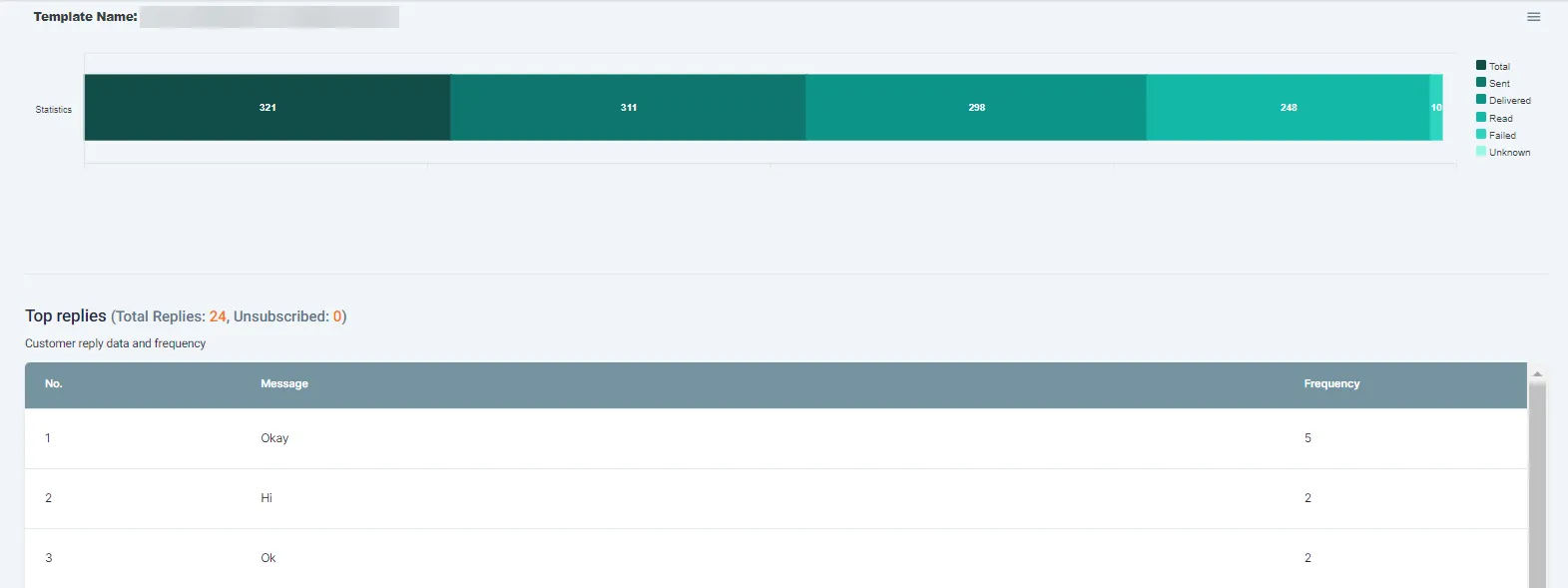
To download the report: go to Dashboard → Template usage count, select the template and the dates, and click Export CSV.
Related
Section titled “Related”Was this page helpful?
Thanks, this helps us improve this page.
Still stuck? Email support@businessonbot.com