

Recover more abandoned carts on WhatsApp
Increase Abandoned Cart Conversion by 35%, abandoned cart, abandoned checkout, cart recovery, retargetingGoal: bring back shoppers who added products to their cart but did not check out, by reminding them on WhatsApp at the right time with the right offer.
Who it’s for
Section titled “Who it’s for”Brands with a Shopify or WooCommerce store connected to BusinessOnBot that lose sales at checkout. You need an approved abandoned cart template for each reminder you plan to send.
The recipe
Section titled “The recipe”1. Make every reminder personal
Section titled “1. Make every reminder personal”- Address the customer by name.
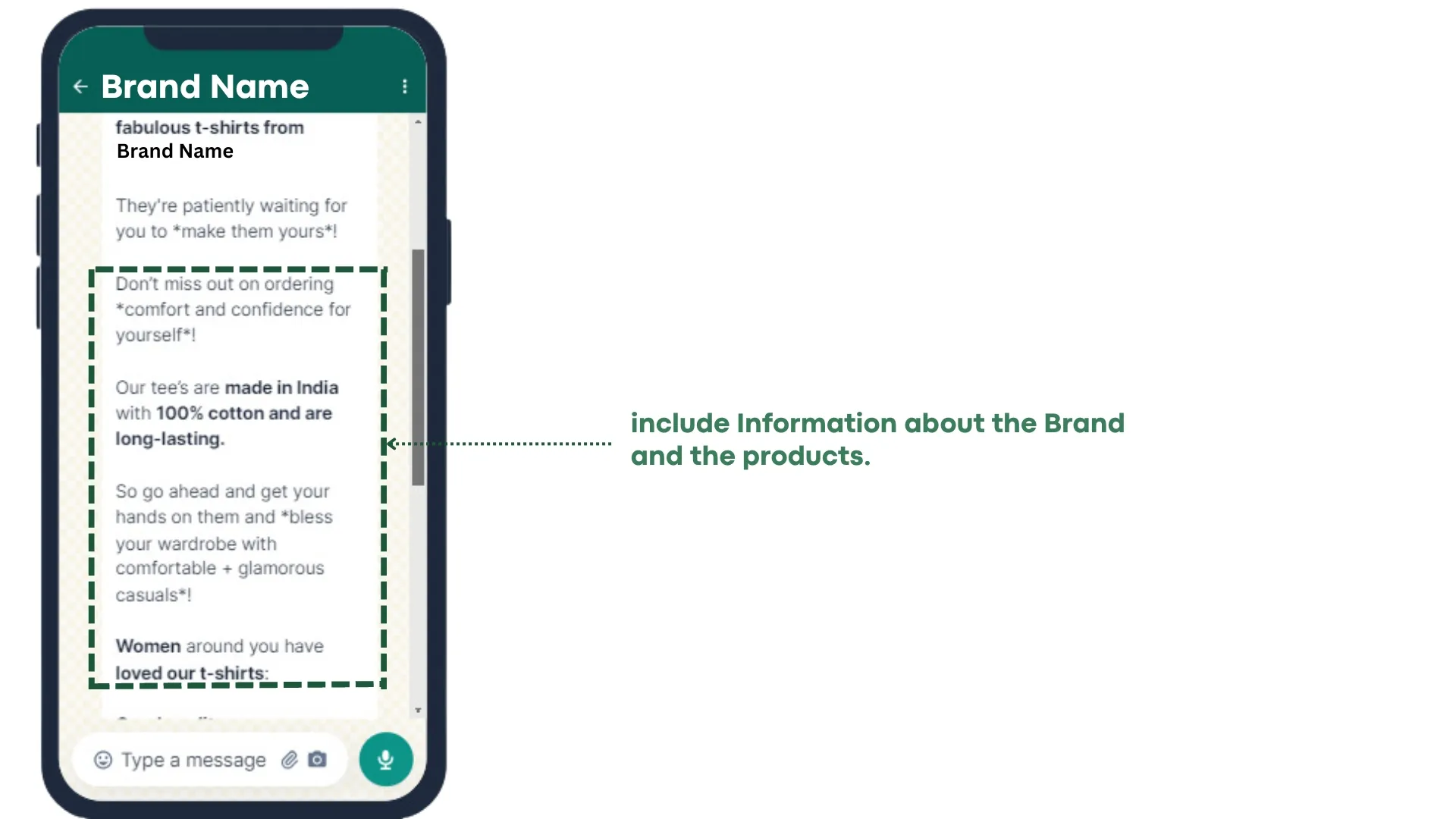
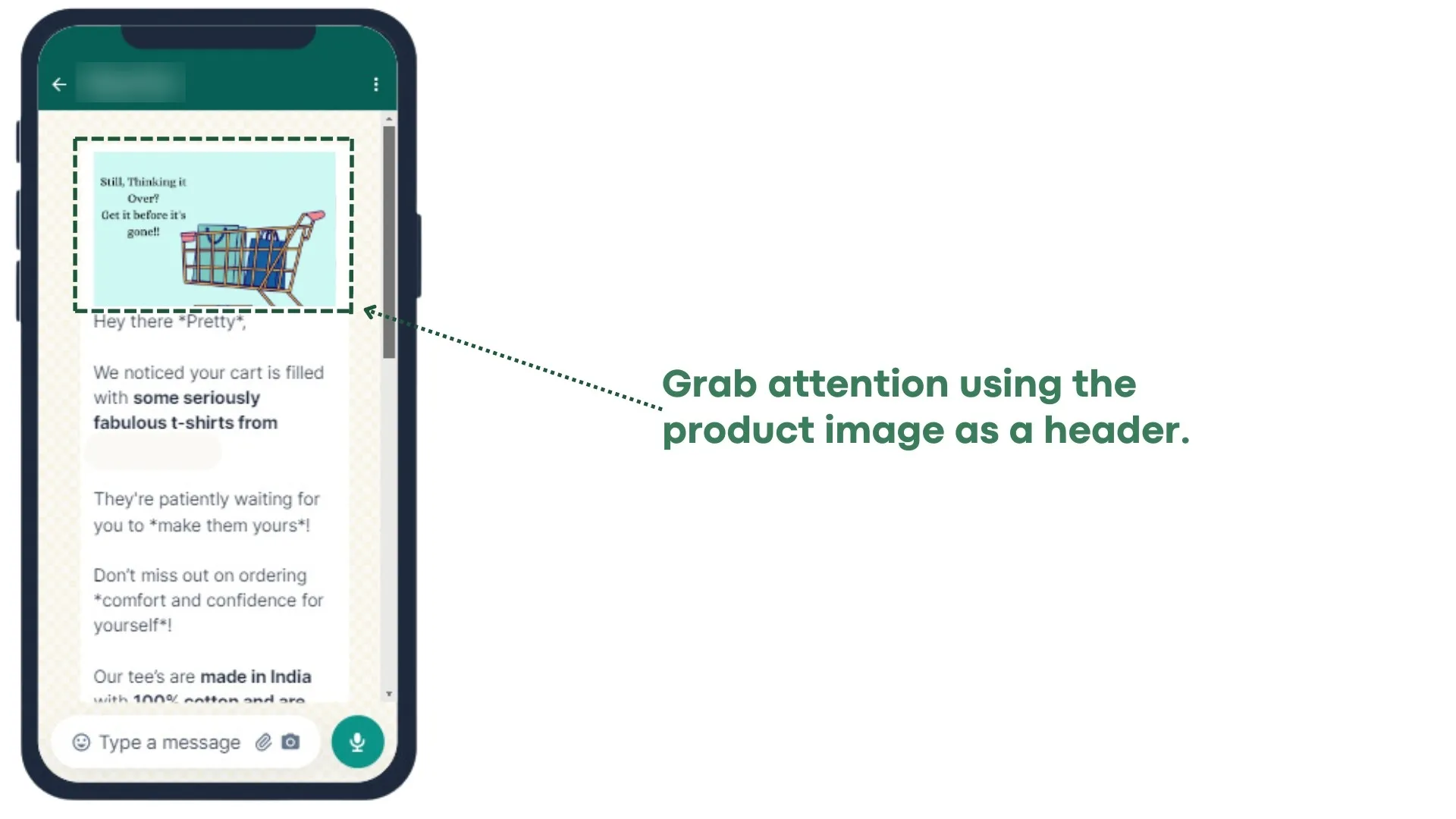
- Show the image of the product they left behind and mention the items in their cart.
- Add a line about your brand and the product, so the message feels like a nudge rather than a generic alert.
- Send variant-level images in the template, so the customer sees the exact product they left in the cart.
Set this up in Set up abandoned cart messages.
2. Send up to three reminders at the right moments
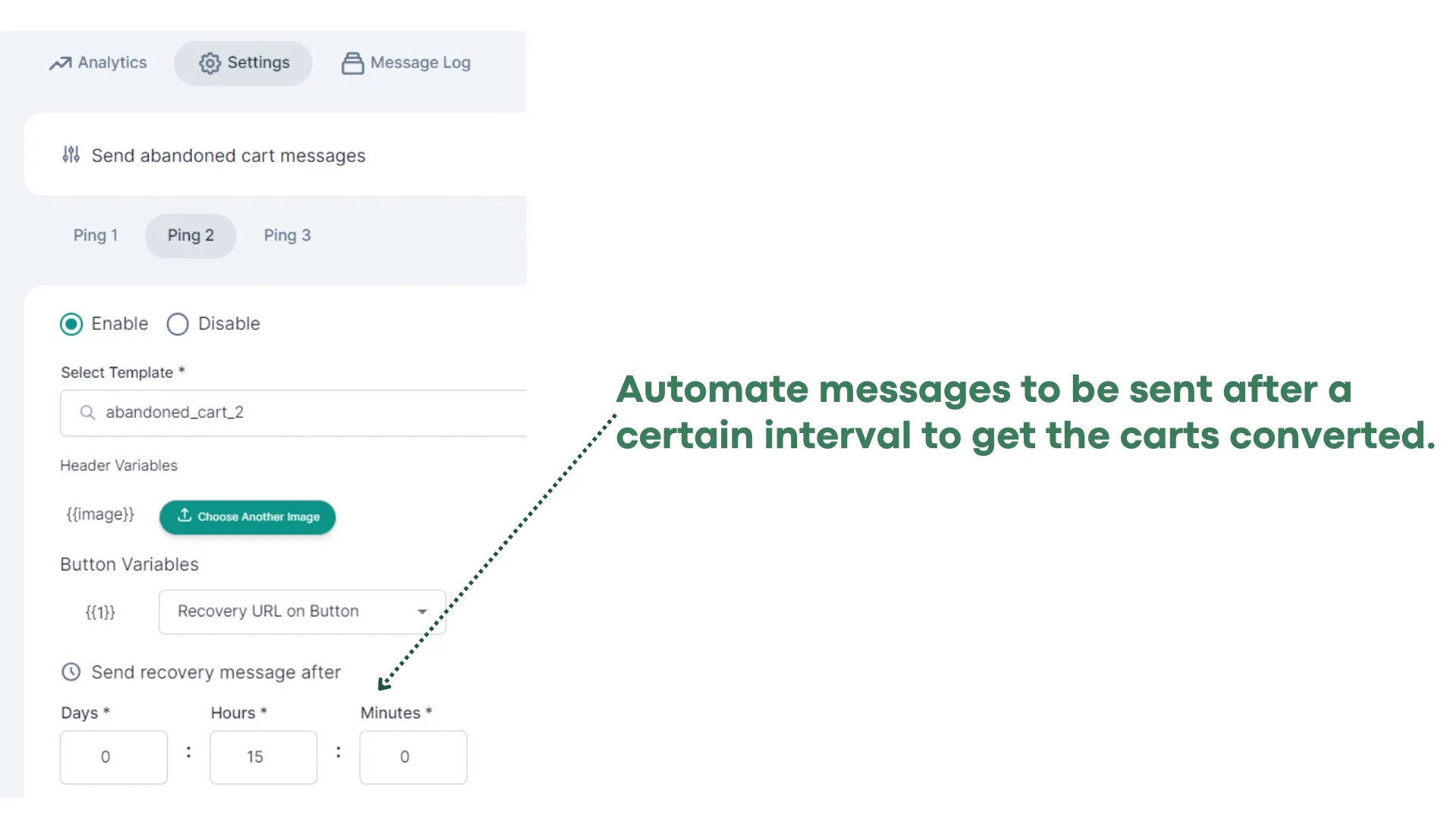
Section titled “2. Send up to three reminders at the right moments”- Send the first reminder within 15–30 minutes of the cart being abandoned. Purchase intent is highest then.
- Space the next reminders out, for example at 30 minutes, 15 hours and 22 hours after the cart is abandoned.
- Give every reminder a clear call-to-action button that takes the customer back to their cart.
3. Raise the offer with each reminder
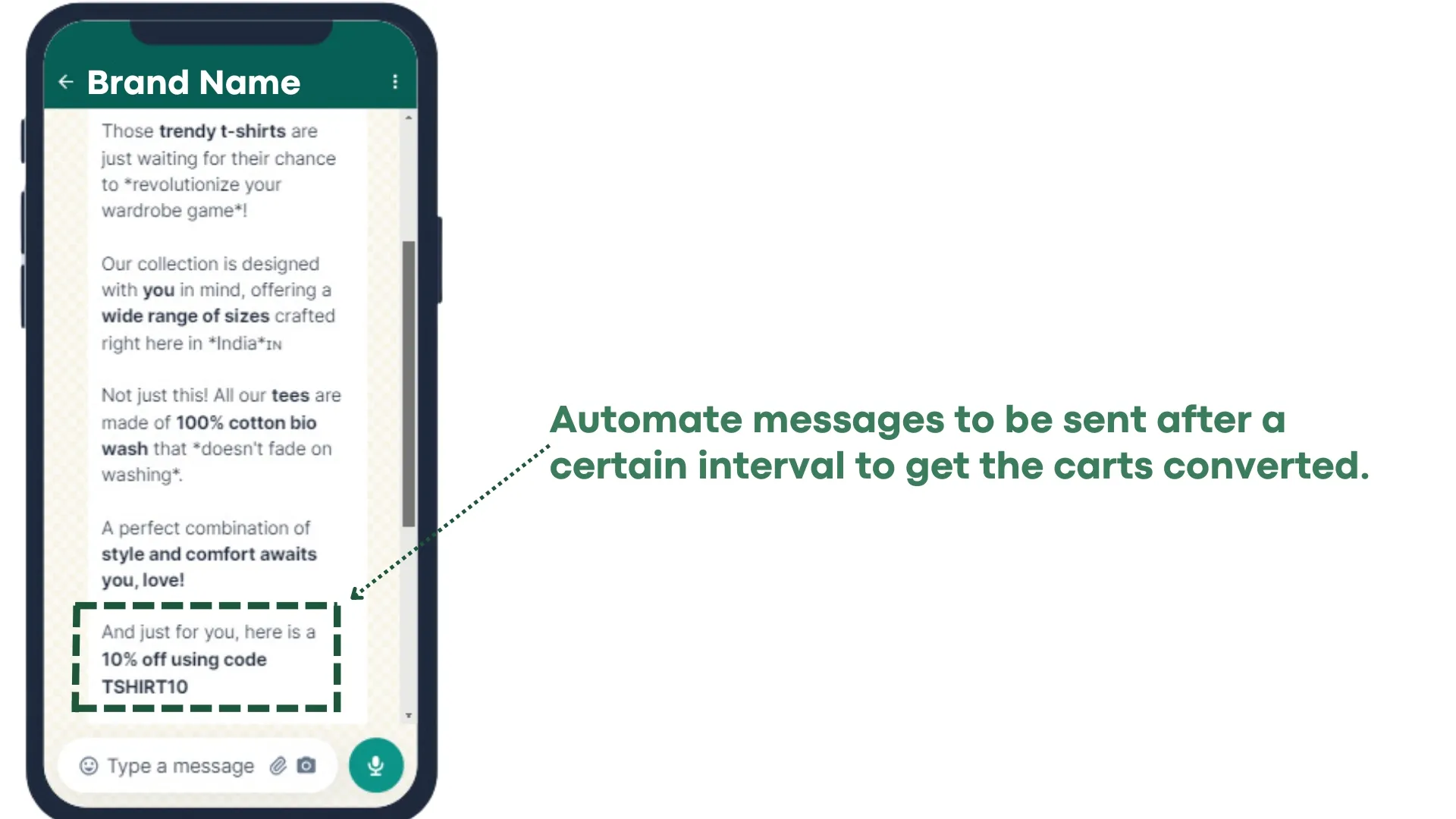
Section titled “3. Raise the offer with each reminder”- Offer an exclusive discount or free shipping to bring the customer back.
- Increase the discount in the second and third reminder, and say clearly that it is a limited-time offer that expires soon.
4. Use rich media and social proof
Section titled “4. Use rich media and social proof”- Show the products left in the cart as images.
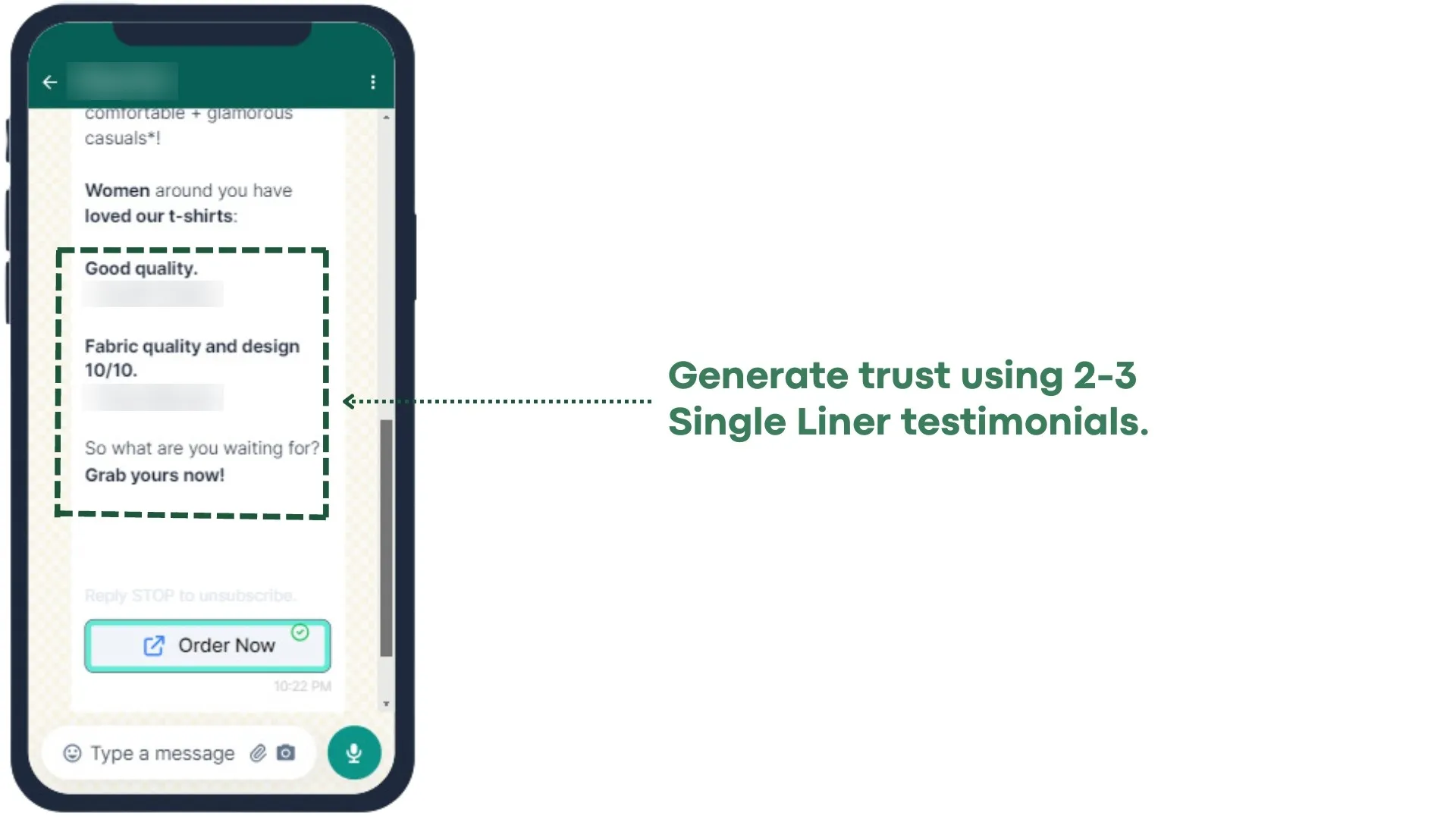
- Add product reviews or testimonials to build trust.
5. Keep it short
Section titled “5. Keep it short”Most customers read WhatsApp on a phone. Keep each message between 270 and 440 characters.
6. Make it easy to ask a question
Section titled “6. Make it easy to ask a question”Some shoppers leave because of a doubt about the product, shipping or price. Give them a way to reach your team on WhatsApp, and answer them in the Support Inbox.
What brands have seen
Section titled “What brands have seen”Results from BusinessOnBot brands using these strategies:
| Average conversion | Carts recovered | Average amount recovered |
|---|---|---|
| 37% | 11,700+ | 46% |
Related
Section titled “Related”- Set up abandoned cart messages
- Re-target your website visitors
- Get more orders through your WhatsApp bot
- Automations: common questions (including why some customers don’t get abandoned cart messages)
Was this page helpful?
Thanks, this helps us improve this page.
Still stuck? Email support@businessonbot.com