

Recover drop-offs in your WhatsApp store with bot reminders
Optimization of Reminders on WhatsApp, bot reminders, cart drop-off, checkout flow, payment flowGoal: convert more of the shoppers who start buying in your WhatsApp store but stop before paying.
Who it’s for
Section titled “Who it’s for”Brands that sell through the BusinessOnBot WhatsApp store and see customers drop off between adding to cart and paying. Bot reminders are set up per checkpoint in the purchase journey.
The recipe
Section titled “The recipe”1. Write a custom message for each drop-off point
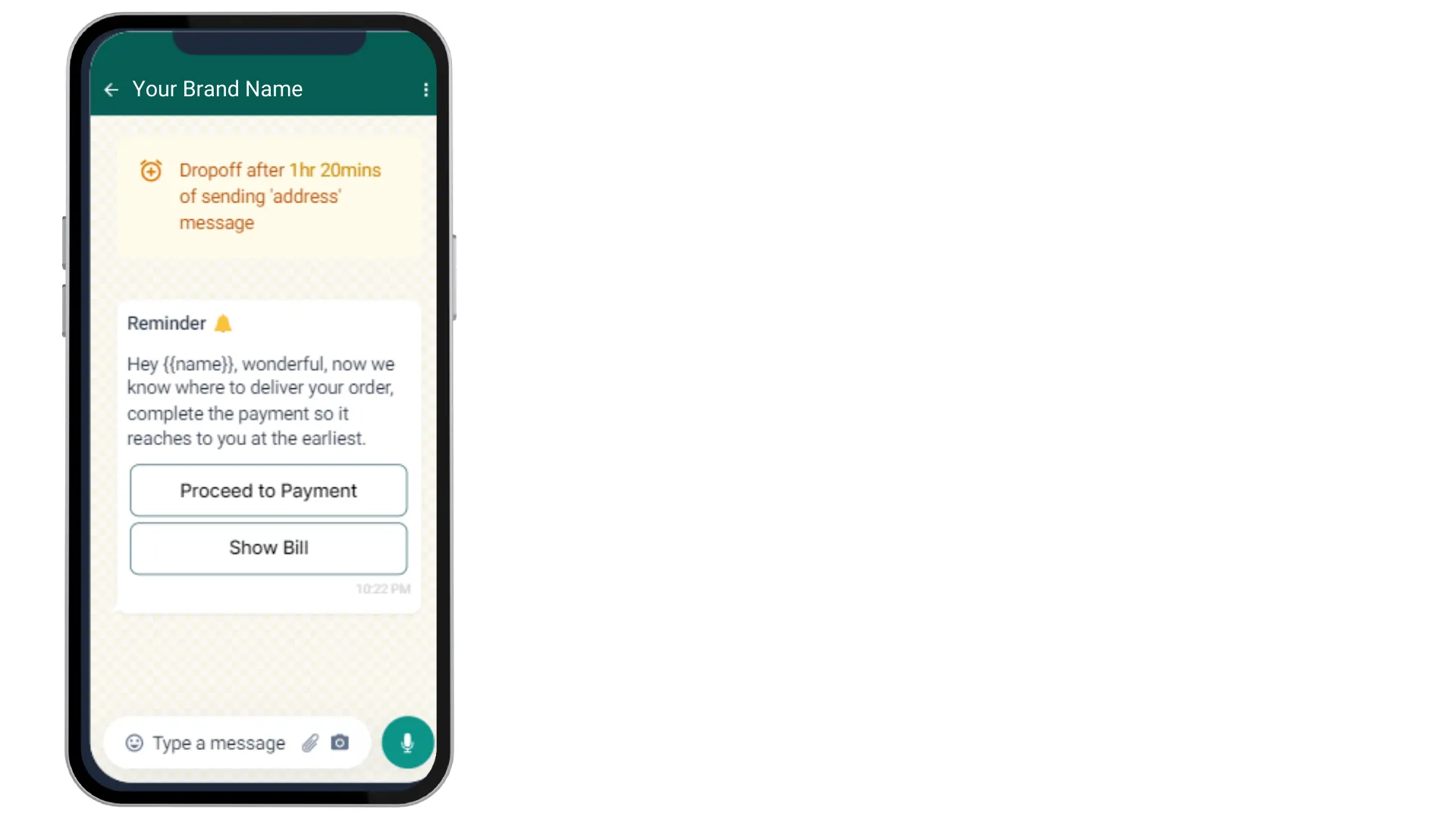
Section titled “1. Write a custom message for each drop-off point”Set up a reminder for each place customers stop: after adding products to the cart, after getting the checkout bill, after adding their address, and after getting the payment message. Tailor each message to the doubts a customer might have at that point, and encourage them to finish the purchase.
- Checkout flow reminders go to customers who got the checkout bill but did not complete the payment. If a customer added to cart and reached checkout, this is the reminder they get.
- Payment flow reminders go to customers who got the payment mode message but did not complete the purchase.
Both can ask the customer to finish with their current cart or add more items.
2. Add buttons to get back on track
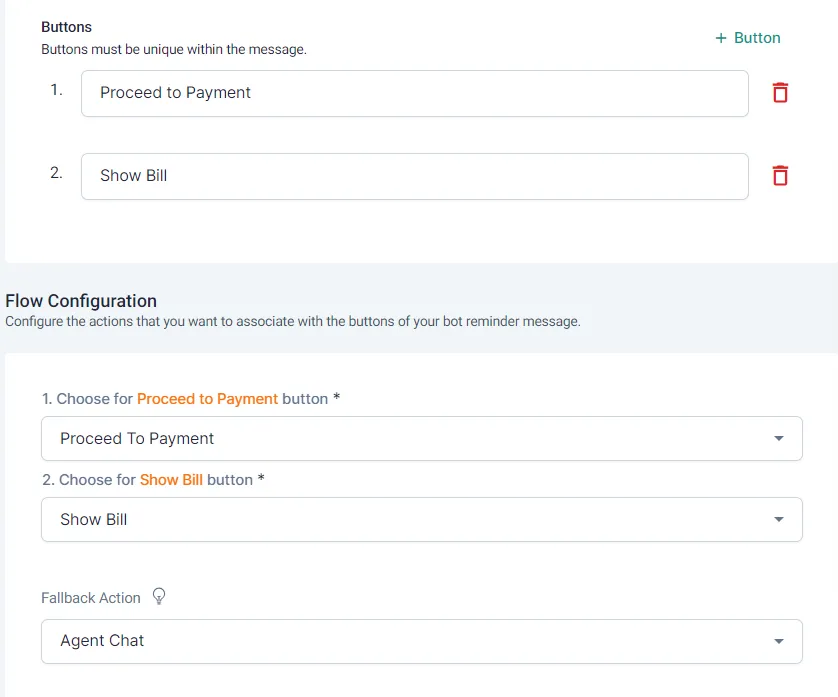
Section titled “2. Add buttons to get back on track”Add interactive buttons to the reminder so customers can return to their last checkpoint, or move between stages of the purchase, in one tap.
3. Send reminders while intent is high
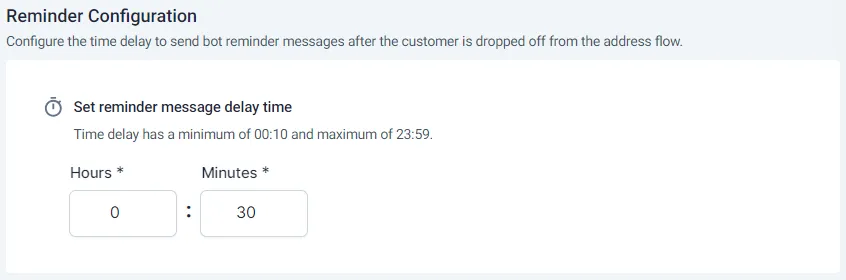
Section titled “3. Send reminders while intent is high”Send reminders within 30 minutes to 1 hour of the customer dropping off.
Set up the reminders in Bot reminders.
Related
Section titled “Related”Was this page helpful?
Thanks, this helps us improve this page.
Still stuck? Email support@businessonbot.com