

Grow repeat purchases with personalised recommendations
Boost Customer Retention by 15%, retention, repeat purchase, upsell, cross-sell, VIP customersGoal: keep customers buying from you by sending the right recommendation or offer to the right group of customers, automatically.
Who it’s for
Section titled “Who it’s for”Brands that want to upsell and cross-sell to existing customers, using Flow Builder and Smart Automation in BusinessOnBot.
How it works
Section titled “How it works”Each strategy below pairs an audience (who gets the message) with a message (a template or a flow). You set both in a smart automation:
-
Go to Smart Automation → Create Smart Automation.
-
Give the automation a name and a description.
-
Choose the audience (examples below).
-
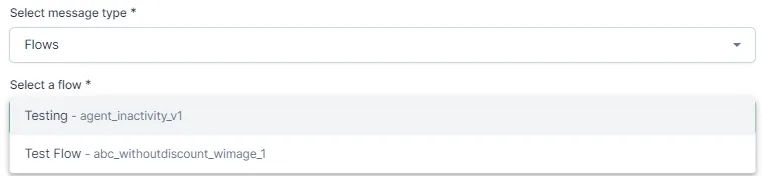
Choose what to send: a template, or a flow you built in Flows → Create Flow (choose the Campaign type).
The recipe
Section titled “The recipe”1. Recommend products that go with a past purchase
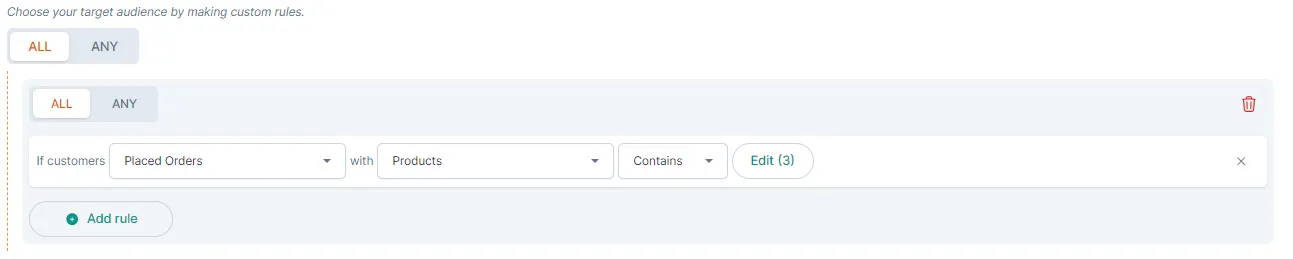
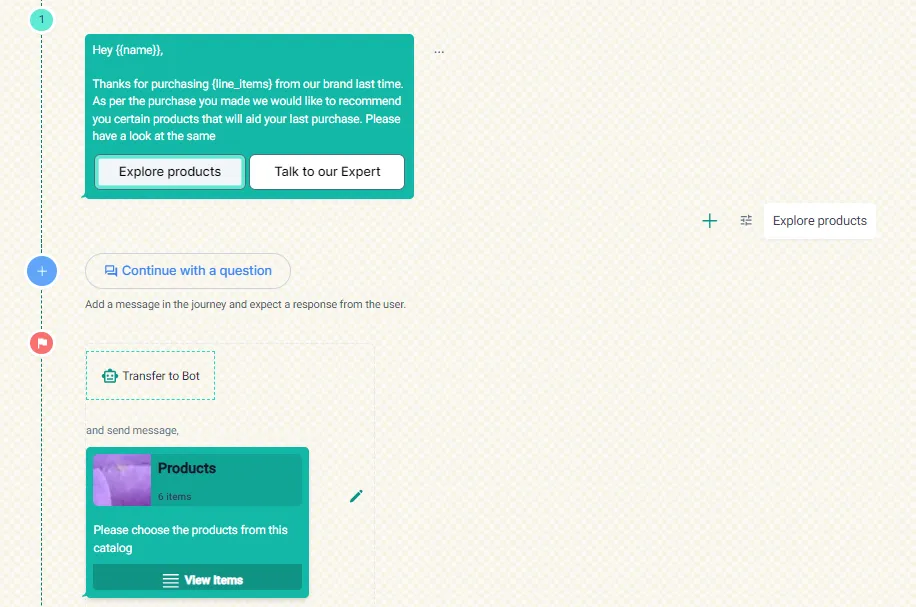
Section titled “1. Recommend products that go with a past purchase”Example: a customer bought a phone, so you follow up with cases, screen protectors and accessories.
- Audience: customers who Placed Orders where the products Contains the product you want to follow up on.
- Message: a flow that recommends related products.
2. Give frequent buyers a unique coupon
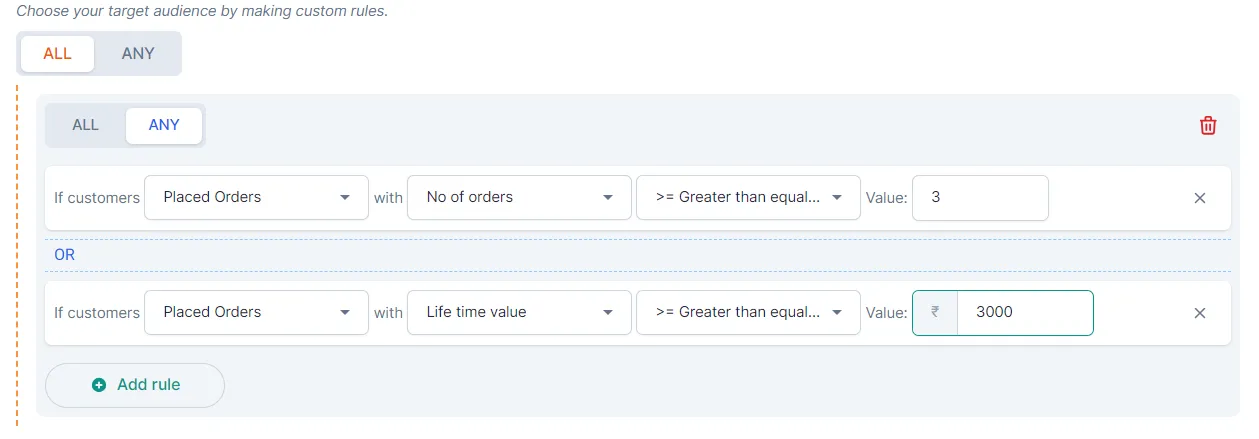
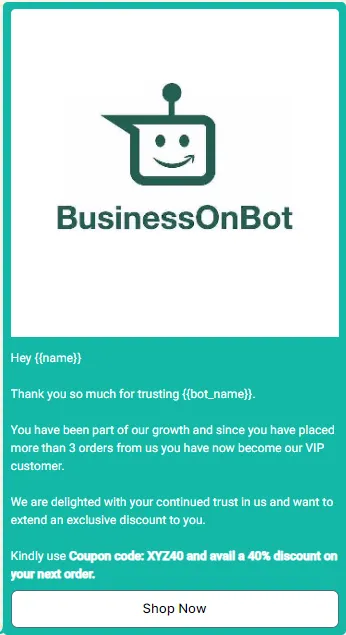
Section titled “2. Give frequent buyers a unique coupon”Example: customers who placed more than a set number of orders, or spent more than a set amount, get a unique coupon code for their next purchase.
- Audience: for example, orders of 3 or more, or lifetime value of ₹3,000 or more.
- Message: a template with the coupon code.
3. Welcome new customers with your bestsellers
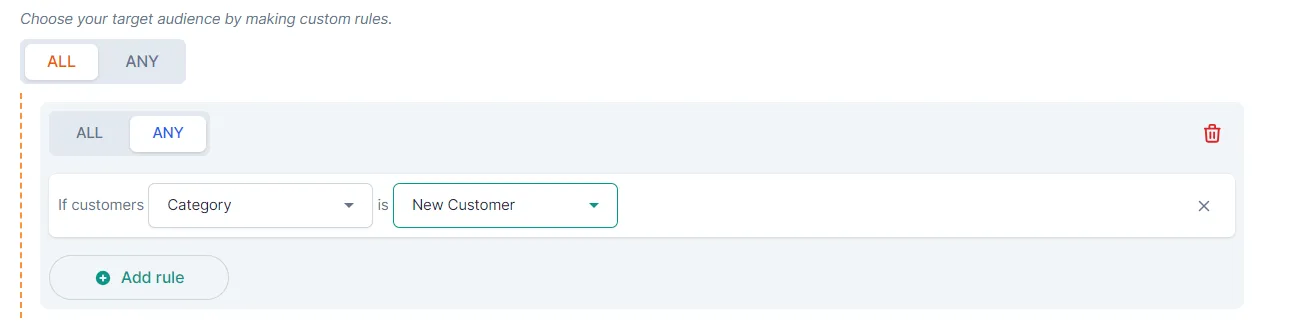
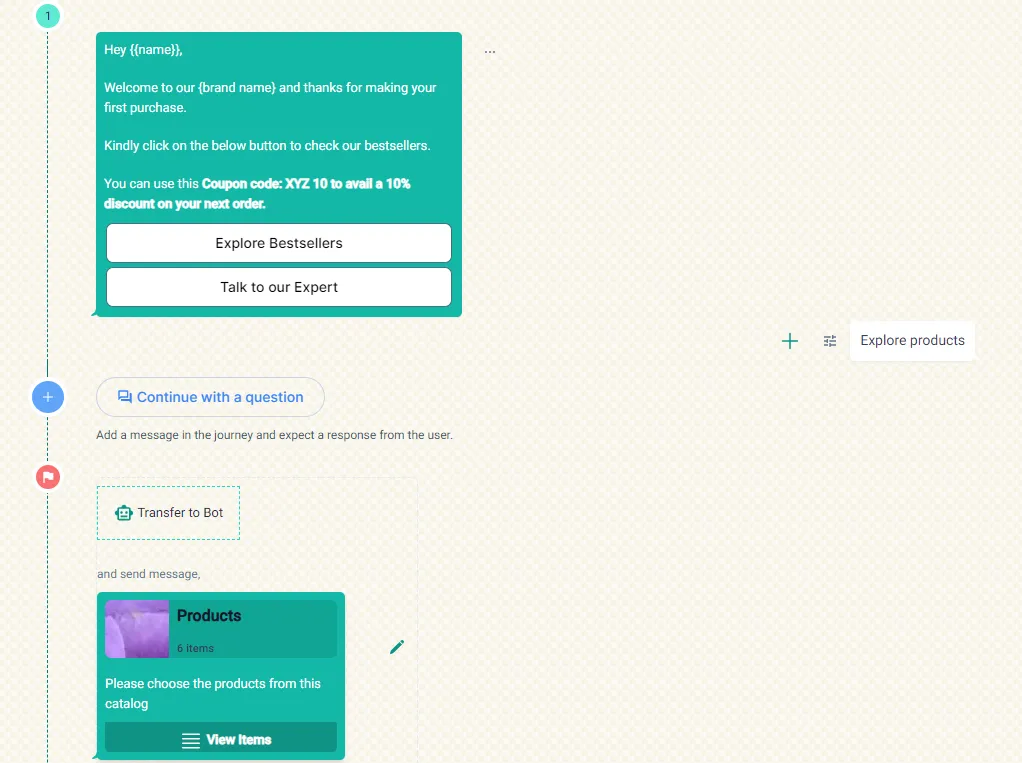
Section titled “3. Welcome new customers with your bestsellers”Example: after a first purchase, send a welcome message that introduces your brand and shows new launches or bestsellers.
- Audience: customers in the New Customer category.
- Message: a welcome flow that guides them through your top products.
4. Recommend complementary products for a collection
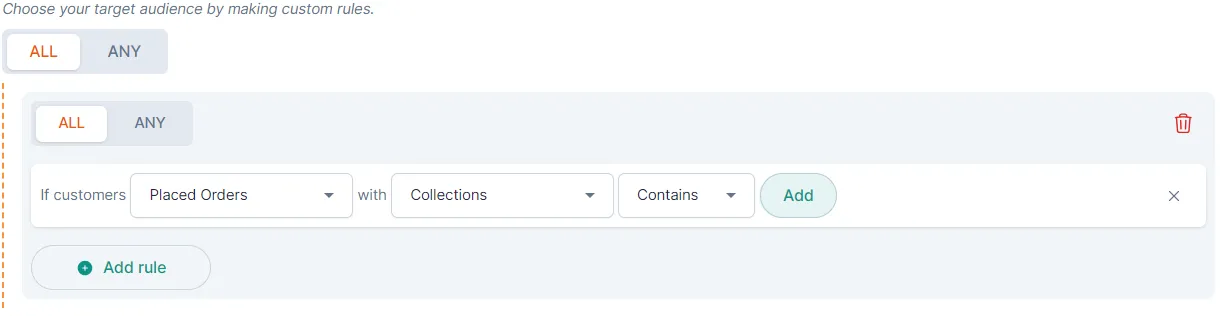
Section titled “4. Recommend complementary products for a collection”Example: customers who buy from your hair care collection get recommendations for shampoos, conditioners and treatments for their hair concerns.
- Audience: customers who Placed Orders where the collections Contains the collection.
- Message: a flow with complementary products.
Related
Section titled “Related”Was this page helpful?
Thanks, this helps us improve this page.
Still stuck? Email support@businessonbot.com