

Cut COD returns by nudging customers to prepaid
Optimize notifications - COD confirmation, COD, cash on delivery, COD to prepaid, RTO, return to originGoal: convert more cash on delivery (COD) orders to prepaid, so fewer orders come back as returns to origin (RTO).
Who it’s for
Section titled “Who it’s for”Brands that take COD orders and use the BusinessOnBot COD Confirmation notification. The COD confirmation message goes out when a COD order is placed. Its main job is to nudge the customer to pay now instead. To send a payment link from WhatsApp, you need a supported payment gateway connected to BusinessOnBot.
The recipe
Section titled “The recipe”1. Offer an exclusive discount for paying now
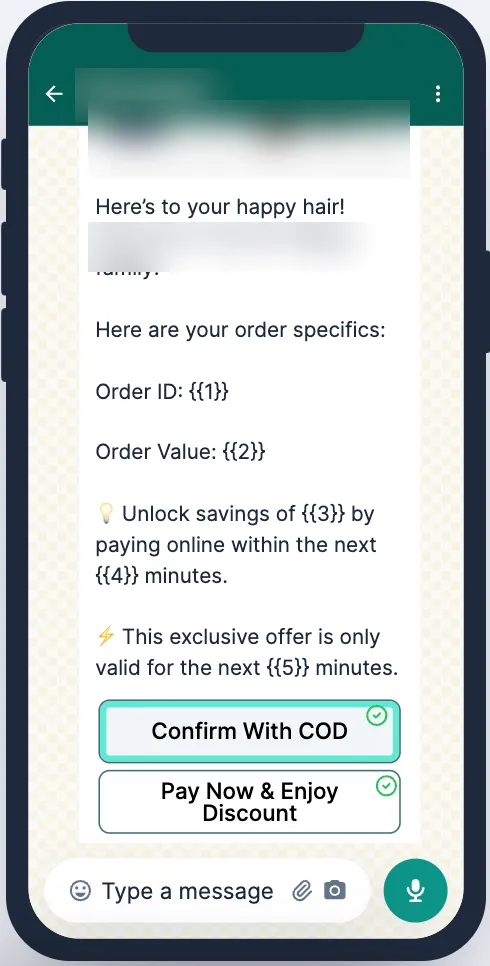
Section titled “1. Offer an exclusive discount for paying now”Write the first message (ping 1) around the benefit of switching to prepaid:
- Mention the details of the order.
- State the amount saved or the discount clearly, and make it stand out.
- Say that the offer is valid for a limited time only.
2. Send a last-chance reminder
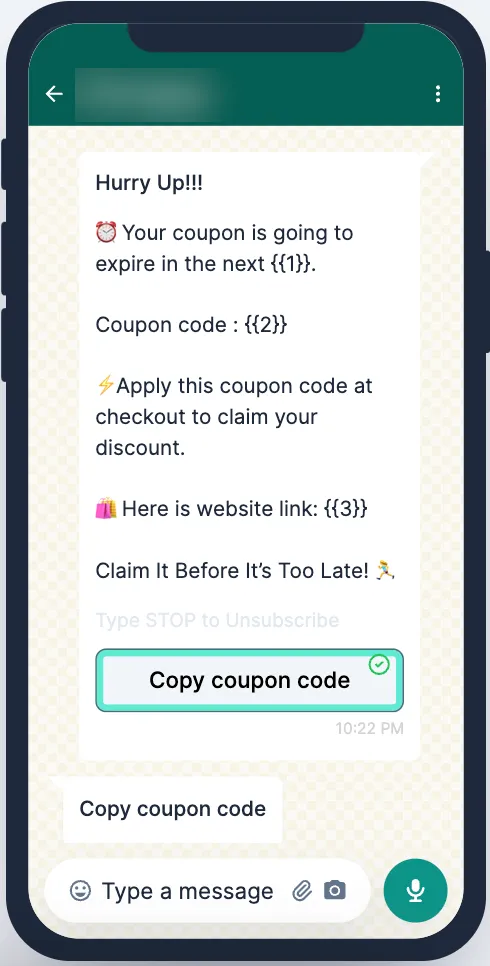
Section titled “2. Send a last-chance reminder”- Set up Ping 2 as the last chance to get the offer.
- Schedule it 10 minutes before the flow expires.
3. Remind customers who asked to pay but didn’t
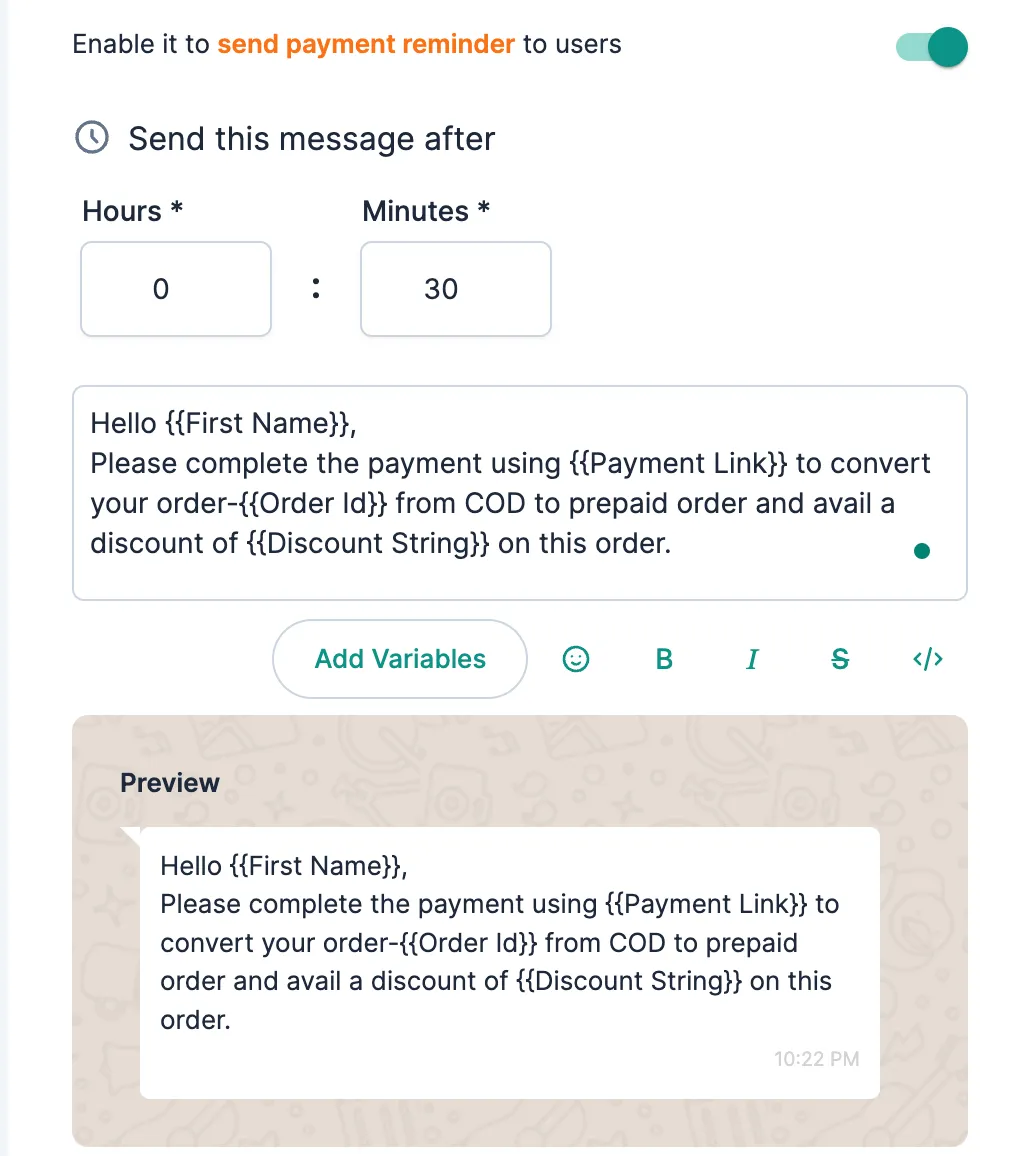
Section titled “3. Remind customers who asked to pay but didn’t”Turn on the payment reminder. It goes to customers who tapped Pay & Get Discount in an earlier ping but have not paid yet.
For the full settings (pings, flow expiry time, discount and button flows), follow Set up COD confirmation messages.
Related
Section titled “Related”Was this page helpful?
Thanks, this helps us improve this page.
Still stuck? Email support@businessonbot.com