

Raise order value with combos and repeat recommendations
Boost AOV and CLTV by 10%, AOV, average order value, CLTV, customer lifetime value, combos, bundlesGoal: get customers to spend more per order (average order value, AOV) and to come back more often (customer lifetime value, CLTV), with offers and recommendations sent automatically after they buy.
Who it’s for
Section titled “Who it’s for”Brands with combos, bundles or complementary products to recommend, using Flow Builder and Smart Automation in BusinessOnBot.
The recipe
Section titled “The recipe”Both strategies use the same setup: build a flow with the offer, then send it automatically with a smart automation.
1. Show combos after purchase to raise order value
Section titled “1. Show combos after purchase to raise order value”After a customer completes a purchase, send them a message with combos or bundles that complement what they bought, so they consider these deals for their next order.
Build the flow
- Go to Flows → Create Flow.
- Give the flow a name and a description.
- Choose the Campaign type.
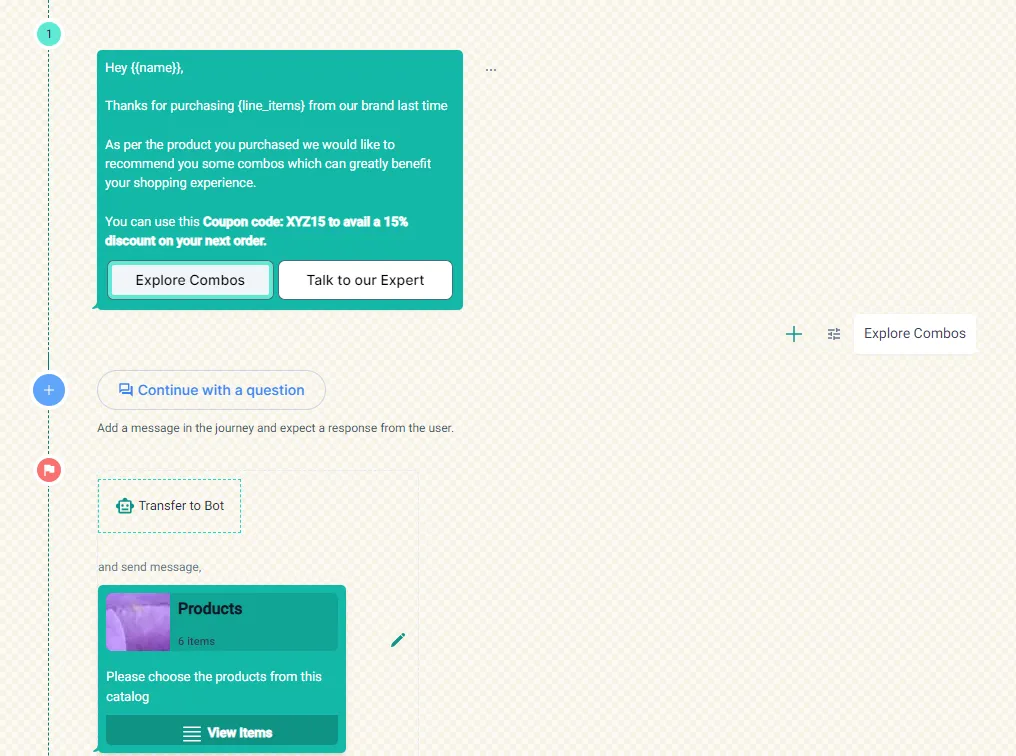
- Build a flow that presents your combos, for example with a coupon and an Explore Combos button.
Send it automatically
-
Go to Smart Automation → Create Smart Automation.
-
Give the automation a name and a description.
-
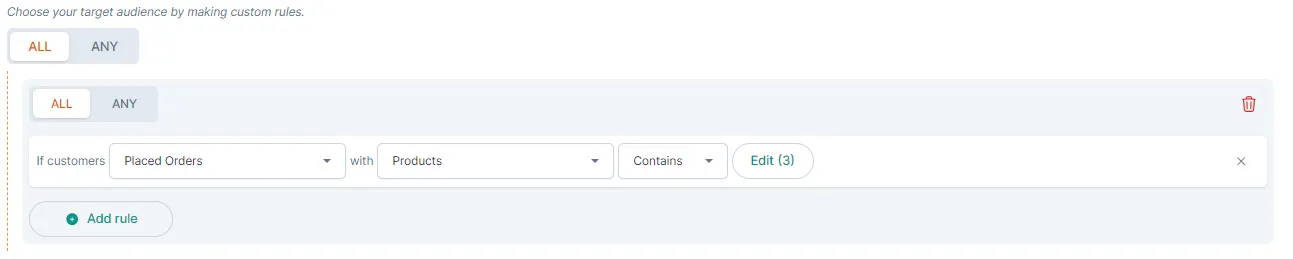
Choose the audience. For example, customers who Placed Orders where the products Contains the products you want to follow up on.
-
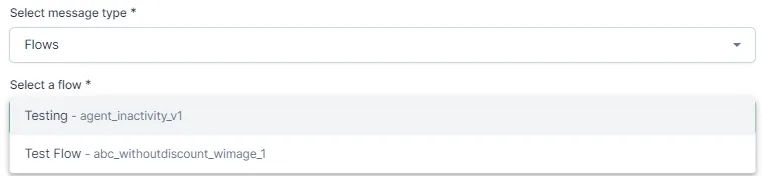
Set the message type to Flows and select the flow you built.
2. Send a series of recommendations to bring customers back
Section titled “2. Send a series of recommendations to bring customers back”After a purchase, send personalised recommendations for related products over time, based on the customer’s purchase history and preferences.
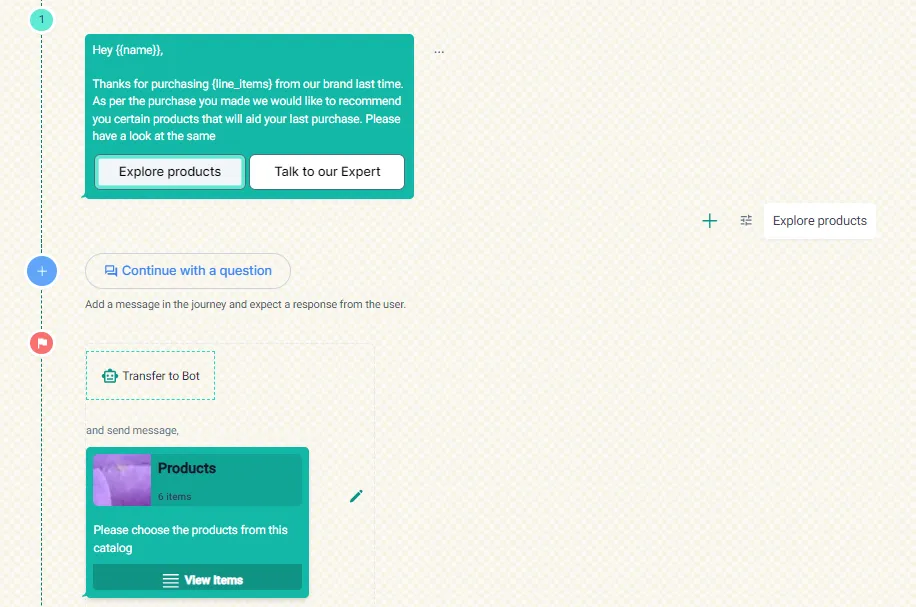
Build a flow that recommends products from your catalogue, for example with an Explore products button, then send it with a smart automation in the same way as above.
Related
Section titled “Related”Was this page helpful?
Thanks, this helps us improve this page.
Still stuck? Email support@businessonbot.com