

Get more customer feedback and reviews on WhatsApp
Optimize notifications- Feedback, feedback, reviews, ratings, Judge.me, LooxGoal: get more customers to share feedback after delivery, learn what to improve, and drive reviews on your website.
Who it’s for
Section titled “Who it’s for”Brands using the BusinessOnBot Feedback notification. It goes out automatically a set number of days after an order is delivered, asking the customer about their order.
The recipe
Section titled “The recipe”1. Give customers a reason to reply
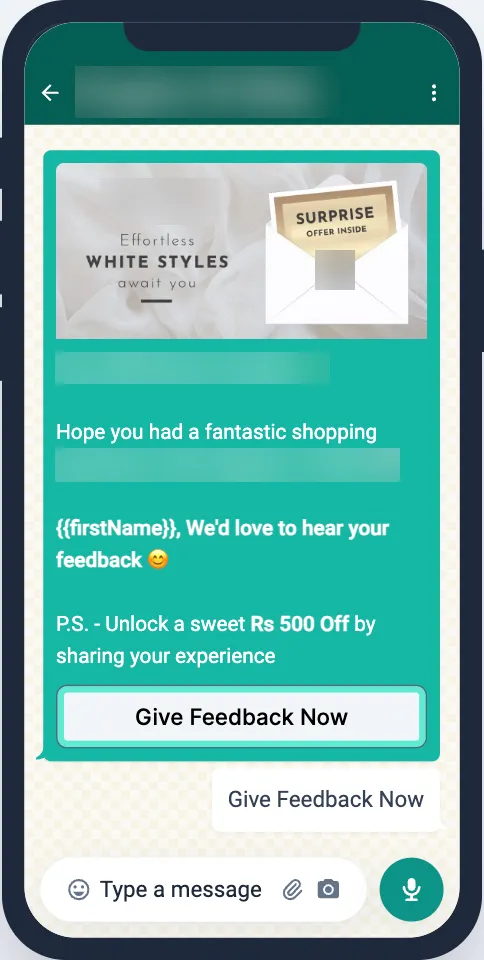
Section titled “1. Give customers a reason to reply”Only a small share of customers leave feedback on their own, whatever their experience. Offer an incentive, such as a discount on the next order, in the feedback message to get more replies and more engagement with your brand.
2. Collect a detailed review on WhatsApp
Section titled “2. Collect a detailed review on WhatsApp”Use feedback to understand your customers’ pain points:
- Ask specific questions about their experience.
- Give options to pick from instead of asking customers to type out their issue.
- Save the answers to a Google Sheet for analysis.
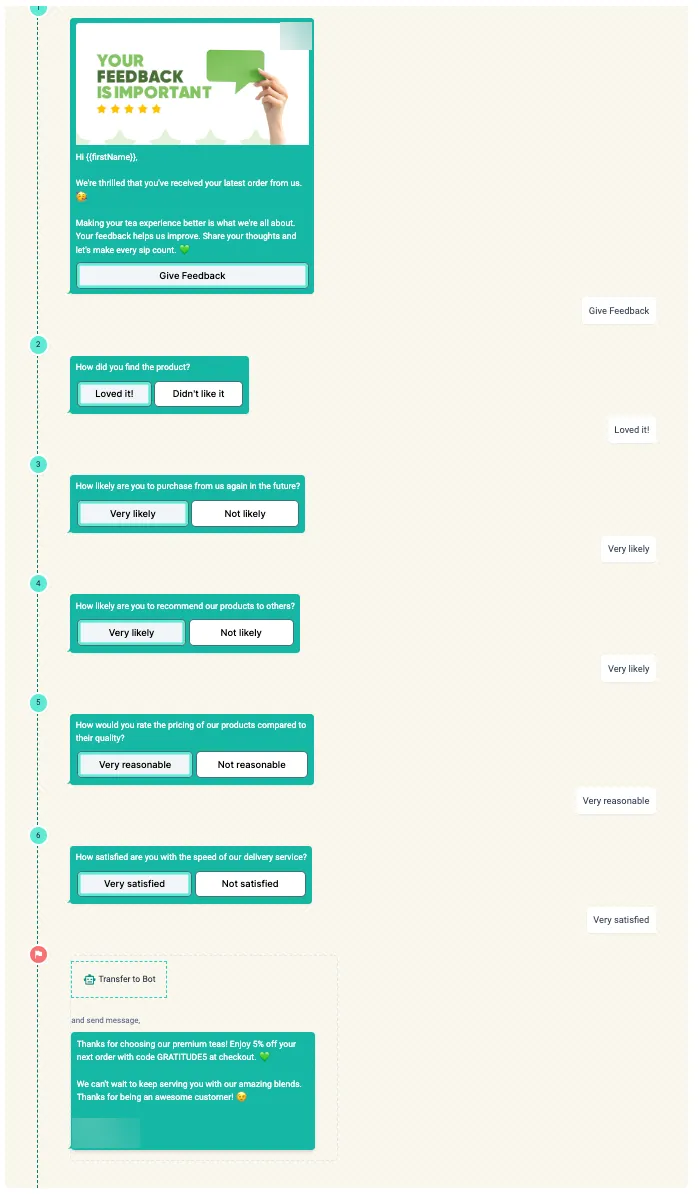
Build the questions as a flow (Overview of flows), connect a Google Sheet (Google Sheet integration in a flow), and use your own flow in the feedback notification.
3. Ask for product reviews with Judge.me or Loox
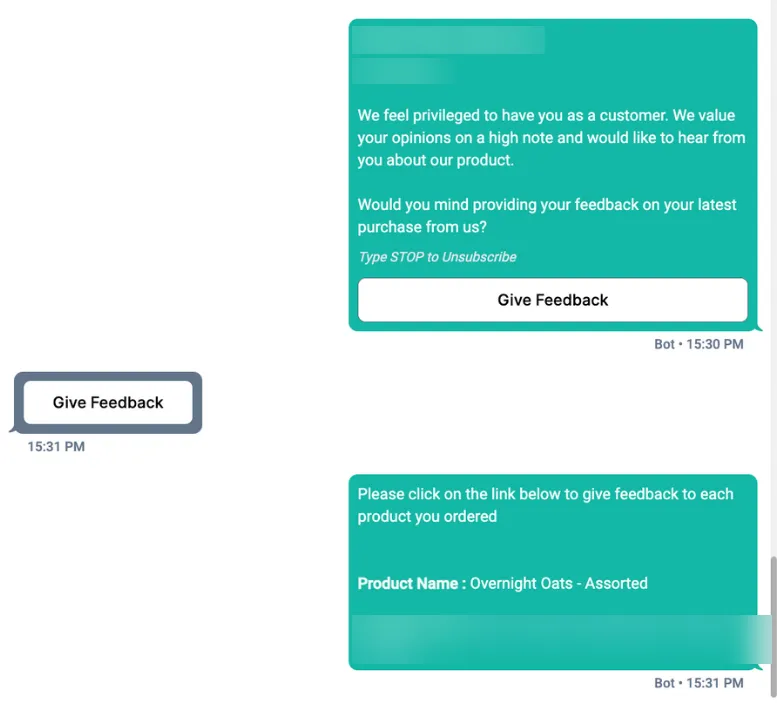
Section titled “3. Ask for product reviews with Judge.me or Loox”BusinessOnBot works with the review apps Judge.me and Loox. They verify that reviews come from real buyers, and the reviews show on your website, which builds trust with new shoppers.
- Connect the feedback notification to your review app.
- Customers get a WhatsApp message asking them to review the products they ordered.
- They tap through to the product page and write the review there.
Set up all three options in Collect customer feedback on WhatsApp.
Related
Section titled “Related”Was this page helpful?
Thanks, this helps us improve this page.
Still stuck? Email support@businessonbot.com