

Raise order value with product recommendations
Optimize notifications: Pre-purchase and Post-purchase, pre-purchase recommendations, post-purchase recommendations, upsell, cross-sell, AOVGoal: increase average order value (AOV), and with it customer lifetime value, by recommending relevant products while customers shop on WhatsApp and right after they order.
Who it’s for
Section titled “Who it’s for”Brands that sell through the BusinessOnBot WhatsApp store and want to control which products are recommended to customers.
The recipe
Section titled “The recipe”1. Control pre-purchase recommendations
Section titled “1. Control pre-purchase recommendations”Pre-purchase recommendations are sent while a customer shops on WhatsApp. Based on the products in their cart, BusinessOnBot recommends other relevant products.
By default, Shopify’s AI picks the recommendations, using your bestsellers and customer purchase behaviour. You can override this to push specific products:
- Recommend products that suit the items the customer has added to the cart.
- Push your bestsellers or new launches.
To set your own recommendations:
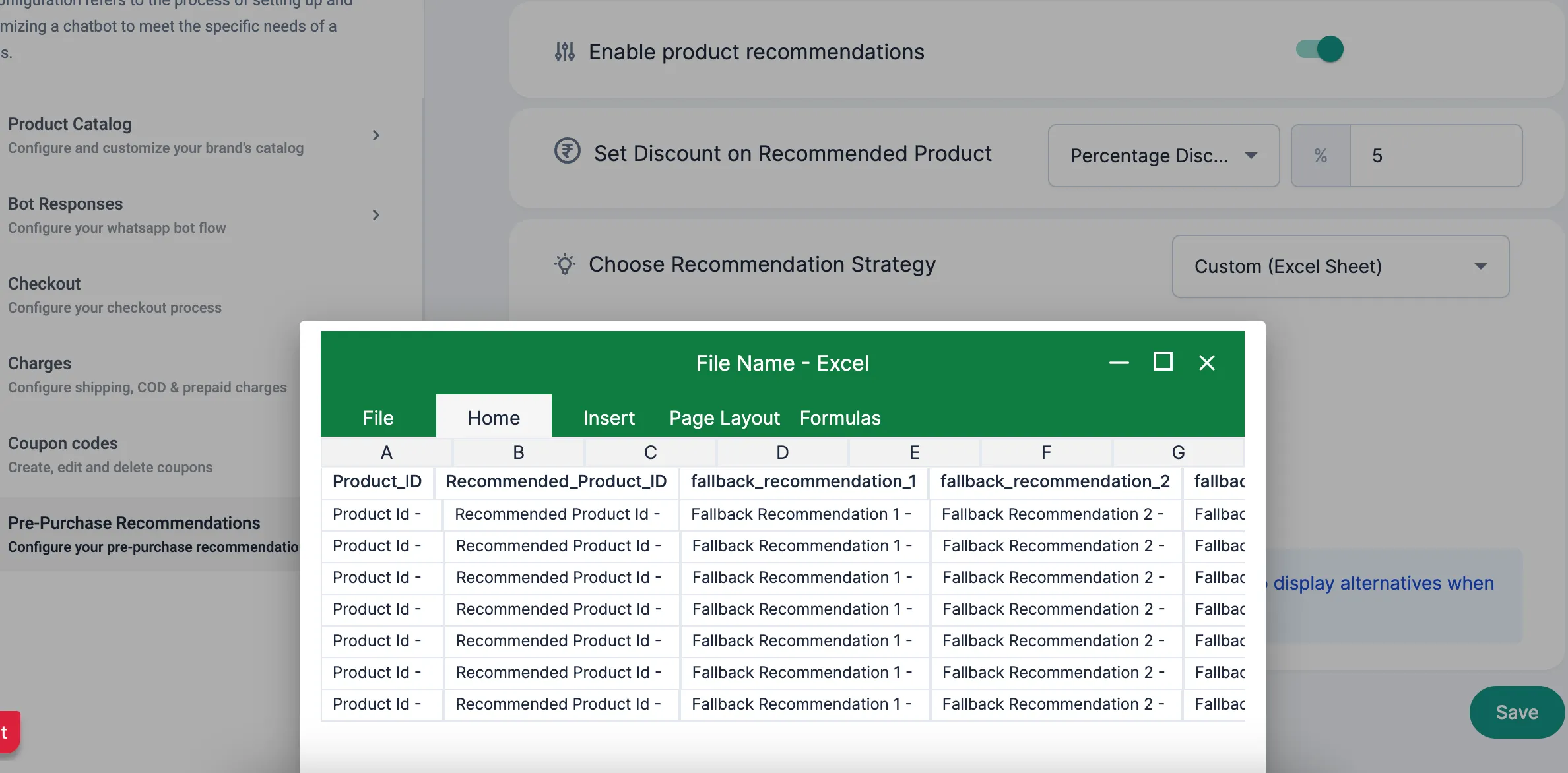
- Download the sample Excel file and list the product IDs you want to recommend for each product.
- Add fallback recommendations for when a recommended product is out of stock.
- Copy these columns into a Google Sheet.
- On the Pre-Purchase Recommendations settings page, choose the Custom (Excel Sheet) strategy and add the Google Sheet link.
2. Recommend products right after purchase
Section titled “2. Recommend products right after purchase”Post-purchase recommendations are sent immediately after an order is placed successfully. Recommend products that go with what the customer just bought.

Set this up in Recommend a product after purchase.
Related
Section titled “Related”Was this page helpful?
Thanks, this helps us improve this page.
Still stuck? Email support@businessonbot.com