

Website pop-up: download contacts and a clearer setup
[Enhancements] Website Popup, website popup, customer details pop-up, download contactsBrands asked for an easy way to get the phone numbers customers enter in the website pop-up, and for a simpler pop-up setup. This update delivers both.
What changed
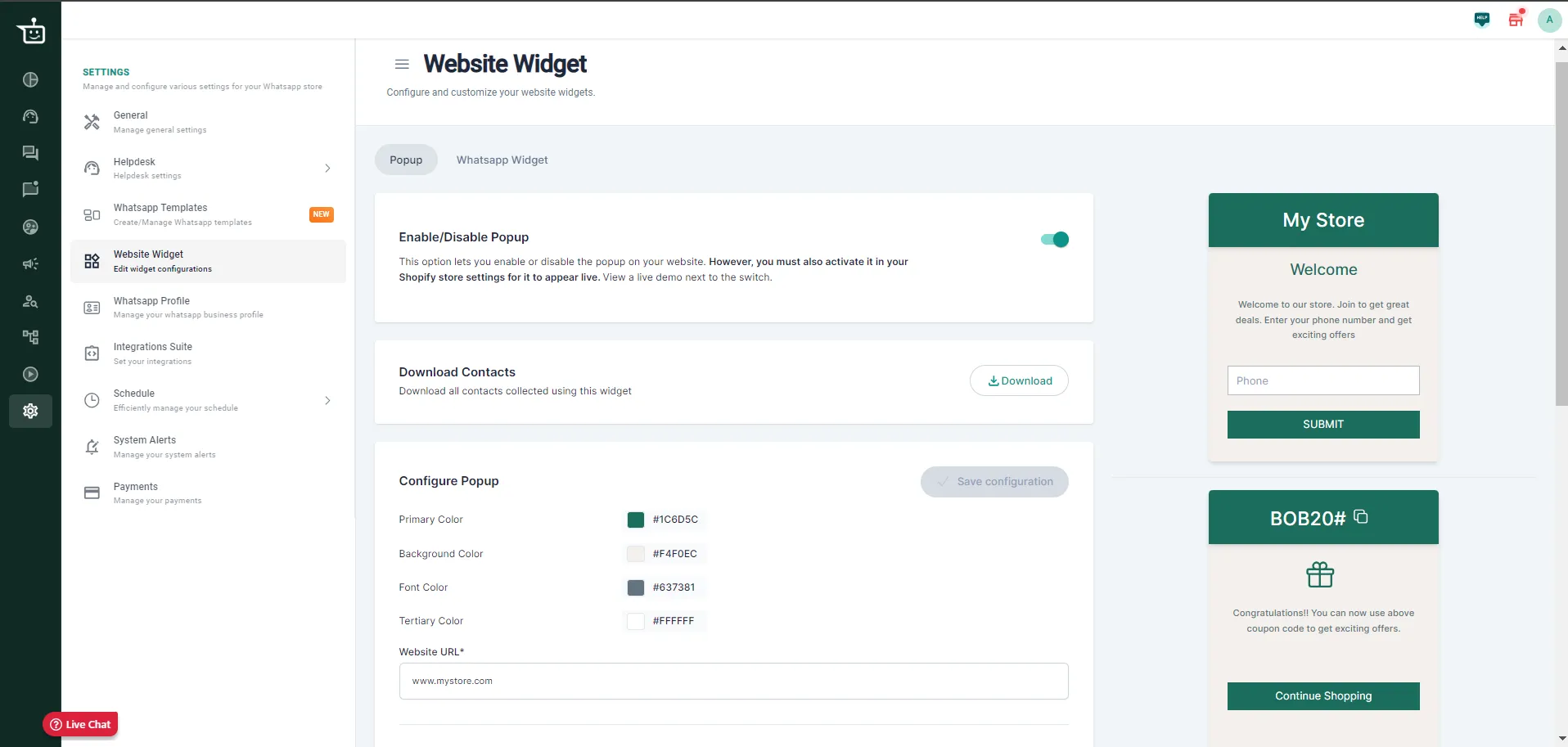
Section titled “What changed”- Download contacts (Shopify). A Download button under Download Contacts exports everyone who entered their phone number in your website pop-up, ready for campaigns and outreach.
- Separate on/off toggle. The toggle to turn the pop-up on or off (for WooCommerce and Shopify brands) is no longer tied to the form settings. For WooCommerce brands it now sits inside the pop-up settings, where it used to be outside them.
- Settings in sections. Pop-up settings are grouped into sections, such as design, triggers and page settings, so you find what you need faster.
- Cleaner form. The configuration form has a clearer layout and labels.
- Clearer validation. Errors and missing fields are flagged with visible messages, so you don’t miss a setup step.
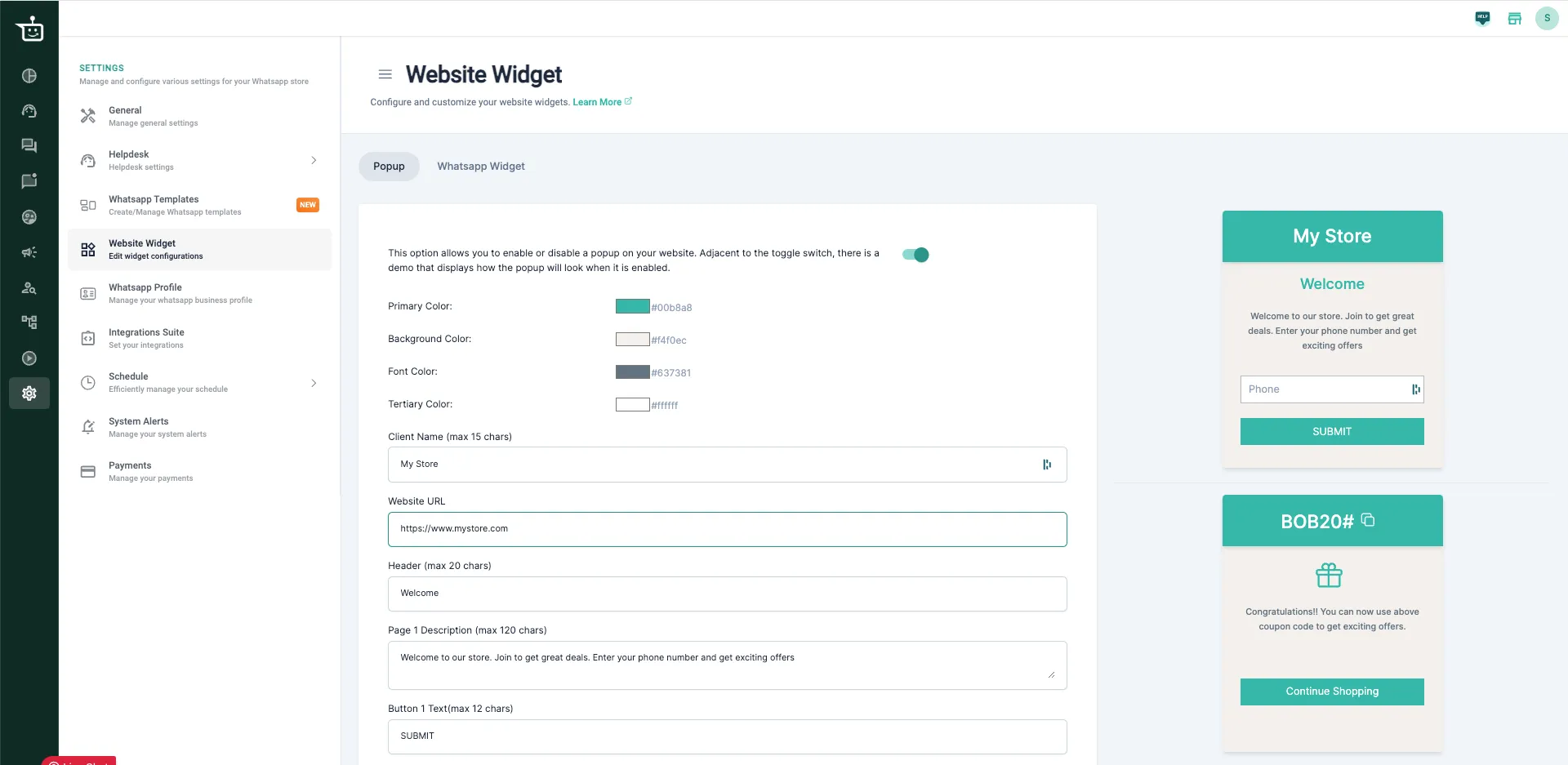
Here is how the settings looked before:
Good to know
Section titled “Good to know”- Your existing pop-ups keep working as before. Nothing in your current setup changes.
- On Shopify, you must also activate the pop-up in your Shopify store settings for it to appear on your live site.
Set it up
Section titled “Set it up”See Customer details pop-up for the full setup.
Was this page helpful?
Thanks, this helps us improve this page.
Still stuck? Email support@businessonbot.com