

Product images in abandonment messages
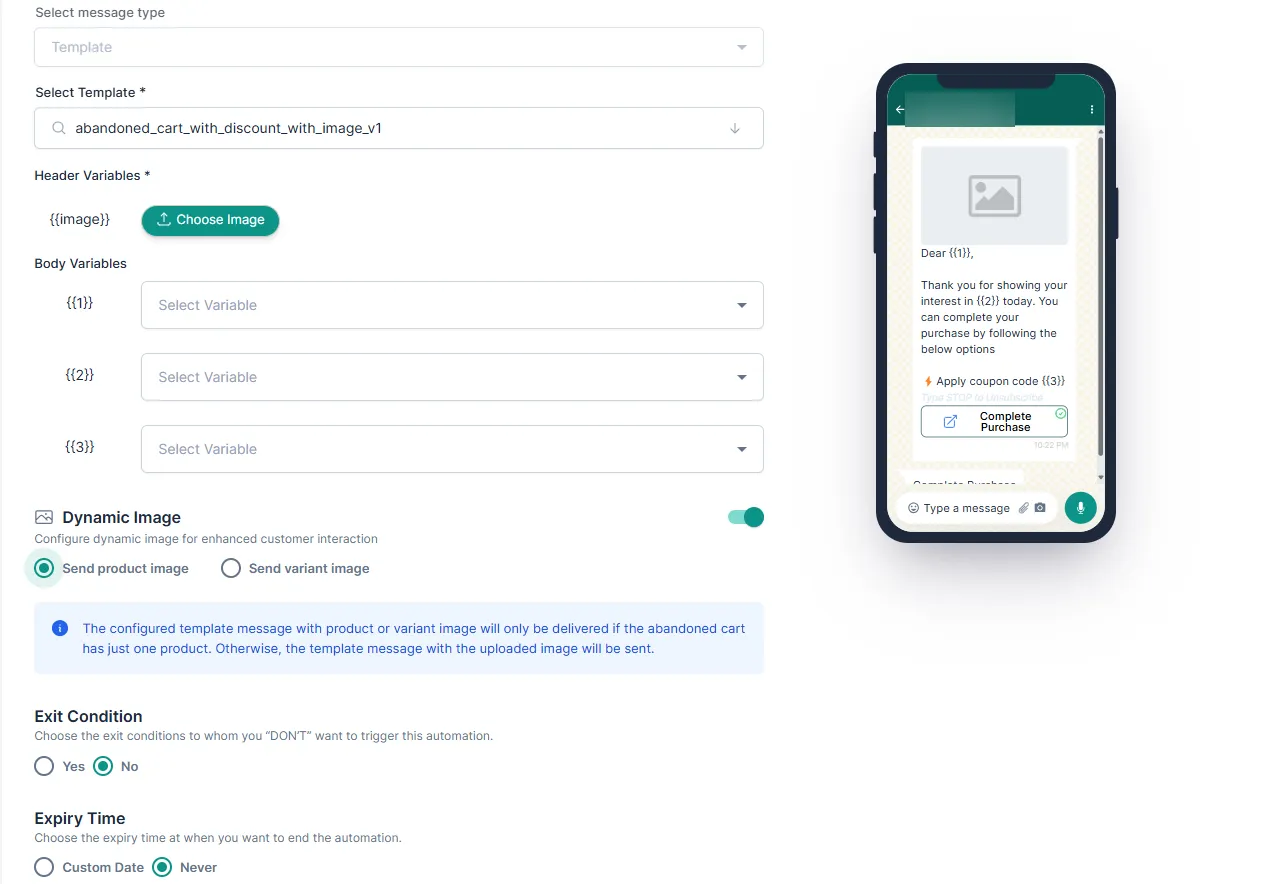
[Enhancements] Product Abandonment, [Enhancements] Product Abandonment, dynamic image, variant image, product imageMessages without the product’s picture feel generic. Smart automation messages for product abandonment can now show the image of the product, or the exact variant, that the customer was interested in.
What changed
Section titled “What changed”- Dynamic Image. Turn on Dynamic Image in a smart automation and choose Send product image or Send variant image.
- Images come from Shopify. If the variant image isn’t found, the product image is used. If neither is available, your default header image is sent.
- Default header image is required. The default header image (under Header Variables) is now a mandatory field, so every message always has a picture.
Good to know
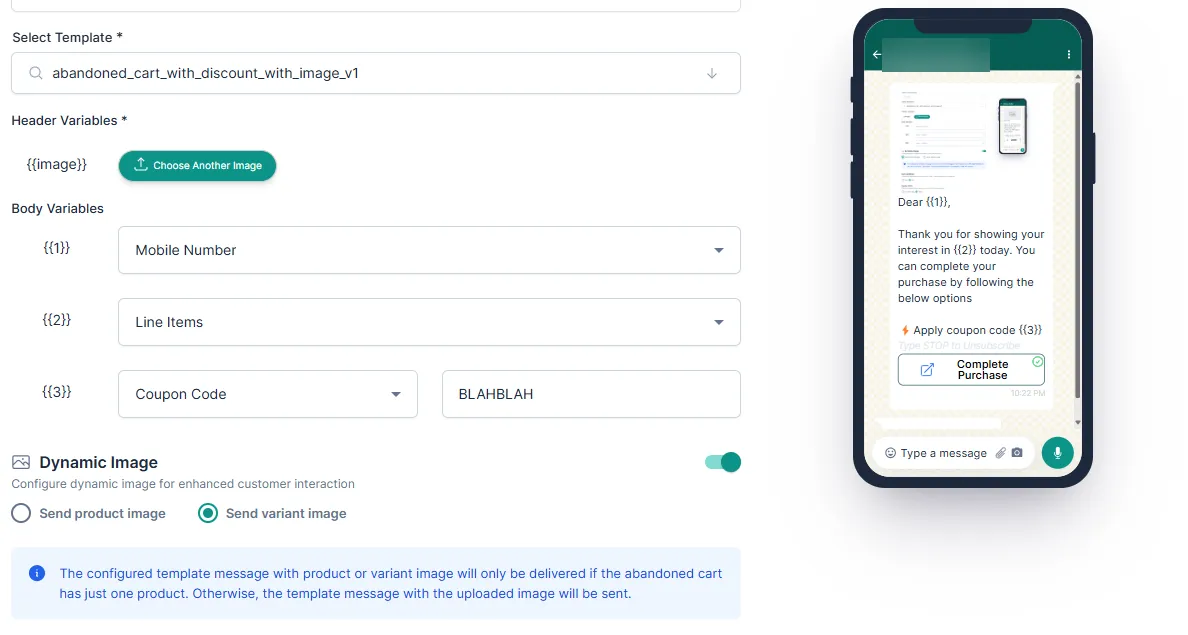
Section titled “Good to know”- The product or variant image is sent only when the abandoned cart has one product. Otherwise, the message goes out with your uploaded image.
- Existing automations keep working as before.
Set it up
Section titled “Set it up”Was this page helpful?
Thanks, this helps us improve this page.
Still stuck? Email support@businessonbot.com